Ai social media video generator: Create High-Impact Content in Minutes

Discover how the ai social media video generator can streamline your content, delivering high-quality videos fast and boosting engagement.
So, what exactly is an AI social media video generator? At its core, it’s a tool that takes a simple text prompt—an idea, a script, a blog post—and spins it into a ready-to-publish video. It completely sidesteps the need for complicated editing software or those long, drawn-out production cycles we all know too well.
For anyone creating content, this is the quickest path from a spark of an idea to a finished video for TikTok, Instagram Reels, or YouTube Shorts.
The End of the Endless Content Grind
If you're making content for social media, you feel the pressure. The algorithm is always hungry, demanding a constant stream of fresh, high-quality videos. It's a never-ending cycle of brainstorming, shooting, and editing that can drain the life out of even the most passionate creators. This is precisely where AI video generators are changing everything.
Think of it less like a piece of software and more like a creative partner that’s on call 24/7. It's your co-writer, video editor, and voice-over artist all rolled into one. This technology closes the gap between a great idea and a polished final product, knocking down the usual walls of time, budget, and technical know-how.
A New Era for Content Creators
The speed at which these tools are being adopted points to a massive shift in how we make content. The global AI video generator market is exploding, growing from USD 554.9 million in 2023 to a forecasted USD 1,959.24 million by 2030. This growth is being driven by the relentless demand for video on social media, with some businesses cutting their production time by an incredible 90%. You can find more insights about the AI video market and its explosive growth online.
What does this really mean for you? It means you can finally step off the content treadmill. Instead of pouring days of work into a single video, you can batch-create an entire week's worth of content in just one afternoon. This newfound efficiency lets you:
- Test more ideas: Got a few different angles on a topic? Create variations in minutes and see what your audience actually clicks on.
- Stay consistent: Post high-quality videos every single day (or even multiple times a day) without burning out or letting the quality slip.
- Focus on what matters: Spend less time bogged down in manual edits and more time on the bigger picture—your growth strategy and engaging with your community.
For the modern creator, an AI social media video generator doesn't just save time—it multiplies creative output, turning the content grind into a sustainable and scalable workflow.
Tools like ShortGenius are leading the charge, giving creators a single place where scriptwriting, visual generation, voiceovers, and publishing all come together. It's the beginning of a new chapter where the only limit to the videos you can create is your imagination, not your resources.
How an AI Video Generator Actually Works
Ever wondered how a simple text prompt blossoms into a full-blown social media video? It might feel like magic, but what's really happening under the hood is a beautifully coordinated process, kind of like a digital assembly line for creative content. It all kicks off with your idea.
You start with a basic concept, a snippet of a script, or even just a topic. This is the raw material that gets the whole system moving. The first stop on this assembly line is an AI scriptwriter. Think of it as your personal brainstormer, taking your initial thought and fleshing it out into a proper narrative.
From Words to Visuals
With a script ready, the AI’s ‘visual artists’ step up to the plate. These are sophisticated image and video generation models that read every line of the script. Their job is to either create brand-new, custom scenes from scratch or intelligently sift through massive stock footage libraries to pinpoint the perfect clips that match the story's tone and message.
At the same time, an AI ‘narrator’ gets to work. This component analyzes the script to generate a remarkably human-like voiceover. You can usually pick the gender, accent, and style, making sure the narration sounds just right for your brand—all without ever setting foot in a recording studio.
This diagram really captures how the entire AI-powered process takes the classic production grind off a creator's shoulders.
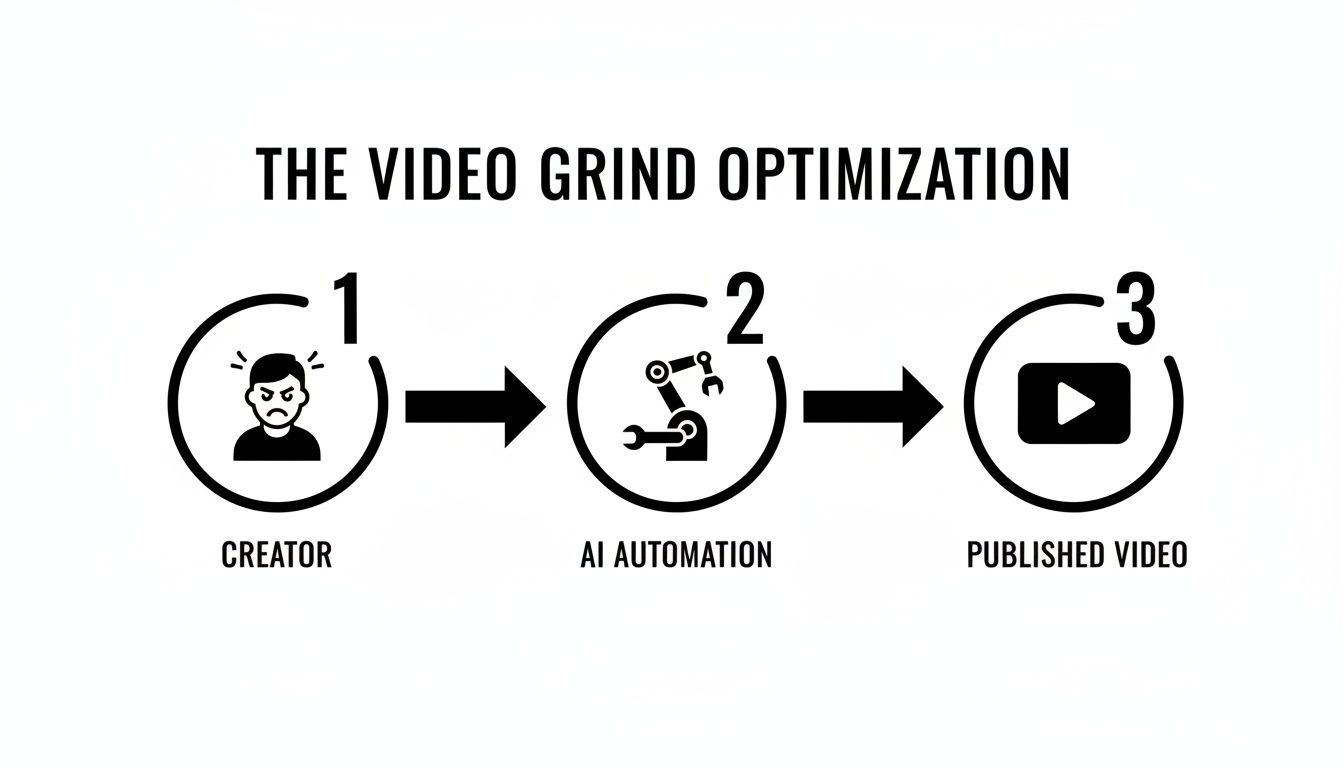
You can see the shift from a creator buried in manual tasks to a smooth, AI-assisted workflow that delivers a polished video, eliminating all those traditional bottlenecks.
The Final Assembly
The last specialist on the line is the AI ‘director,’ and this is where everything comes together. The director's job is to orchestrate all the separate pieces into one seamless video. It takes the generated visuals, places them on a timeline, and syncs them perfectly with the AI-generated voiceover.
But it doesn't just stop there. The director also adds those crucial finishing touches that make a video look and feel professional. These final steps often include:
- Automated Captions: The AI transcribes the voiceover and burns captions right into the video. This is huge for engagement, especially since 85% of social media videos are watched with the sound off.
- Music and Sound: It finds and adds a fitting background music track, automatically adjusting the volume so it complements the narration instead of competing with it.
- Scene Transitions: The director adds smooth transitions between clips, which gets rid of any jarring cuts and makes the whole thing much easier to watch.
This seamless fusion of different technologies is what separates an ai social media video generator from your standard video editor. If you want to get into the nitty-gritty, you can find great explainers on how text-to-video models operate.
An AI video generator doesn't just automate tasks; it unifies them. The real power is its ability to take a single idea and turn it into a finished, ready-to-share video in one continuous motion.
Ultimately, that unified process is the real game-changer. It’s not just about making a voiceover or finding a stock clip. It’s about weaving together scriptwriting, scene creation, narration, and final editing into a single, cohesive workflow. This is what makes creating high-quality video at scale a reality for everyone, not just the big studios.
Unlocking Your Creative Workflow with Core AI Features
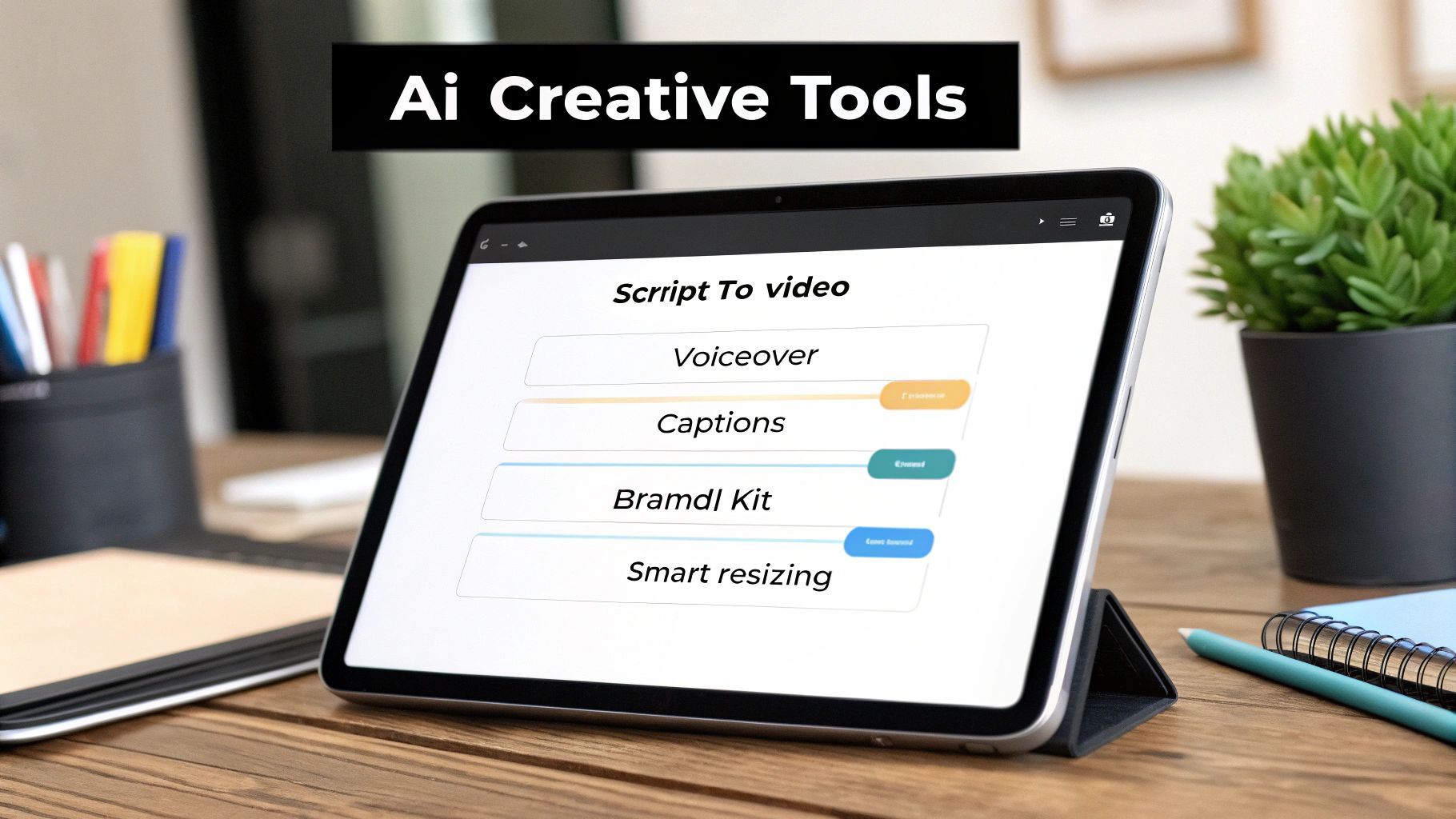
The real magic of an AI social media video generator isn't just one flashy trick; it’s the combination of smart, practical features that target the biggest headaches in video production. These tools aren’t here to replace your creativity. They’re built to break down the barriers that slow you down, turning what used to be a long, disjointed process into a smooth, intuitive workflow.
This is a huge deal when you’re trying to reach an audience of over 5 billion social media users who are hungry for video content. The best platforms have moved beyond simple automation, now offering a suite of features that work together to multiply your creative output. For agencies and creators, this can mean finishing projects up to 5x faster.
To really see how different the two approaches are, let's compare them side-by-side.
Comparing Traditional vs AI Video Production
This table breaks down the time, cost, and complexity of creating a social media video using a traditional workflow versus a streamlined AI-powered tool like ShortGenius.
| Production Stage | Traditional Workflow | AI Generator Workflow |
|---|---|---|
| Scripting | Hours of brainstorming, writing, and revisions. | Seconds to generate ideas and drafts from a prompt. |
| Voiceover | Requires recording equipment, software, or hiring talent. | Instant generation of professional voiceovers. |
| Visuals | Sourcing stock footage, filming, and editing clips. | AI selects relevant clips and images automatically. |
| Captions | Manual transcription and timing—a tedious process. | Automatically generated and perfectly synced. |
| Music | Searching libraries and mixing audio levels. | Smart suggestions and auto-balancing with voiceover. |
| Formatting | Manually re-editing for each social platform. | One-click resizing for all aspect ratios. |
The contrast is clear. AI doesn't just speed up a single step; it compresses the entire timeline, letting you focus on strategy instead of getting bogged down in technical details.
From Text Prompts to Finished Videos
The engine driving most modern generators is the script-to-video feature. Think of it as the ultimate cure for the dreaded blank page. You just feed it a topic, a quick brief, or even a finished script, and the AI immediately starts building the video's skeleton, suggesting scenes and setting the pace.
Right alongside that, you have AI-powered voiceovers. The days of booking studio time or wrestling with a USB mic are over. With a click, you can generate a crisp, professional narrator in different languages, accents, and emotional tones. This gives your content a polished audio experience that feels just as good as it looks.
Enhancing Accessibility and Engagement
Once the basic video is built, a few other automated features jump in to get it ready for the social feed. These aren't just nice to have; they're essential for grabbing and holding your audience's attention.
- Automated Captions: A huge number of people watch social videos with the sound off. The AI automatically transcribes the narration and adds perfectly timed captions, so your message always gets across.
- Smart Background Music: Based on your video's topic and mood, the AI suggests and applies the right soundtrack. It even handles the audio mixing, making sure the music supports the voiceover without drowning it out.
These tools handle the tedious post-production chores that used to eat up hours. While AI video generators are incredible on their own, you can take your content game even further by exploring some of the best AI tools for content creators available today.
Maintaining Brand Cohesion at Scale
Making videos quickly is great, but they also need to feel like your brand. This is where Brand Kit integration is a total game-changer. You upload your company's logos, color palettes, and fonts just once, and the AI automatically applies them to every single video you create.
This simple feature ensures that whether you're making one video or a hundred, each one strengthens your brand identity without any extra design work. It keeps your look professional and consistent across all your social channels.
An AI video generator doesn't just make videos; it makes your videos. Brand kits and customization tools ensure that efficiency never comes at the cost of identity.
Finally, you need to think about platform-specific formatting. Smart Resizing lets you create one master video and instantly adapt it for every social network. The AI intelligently reformats your content from a 16:9 YouTube video to a 9:16 TikTok or a 1:1 Instagram post, making sure the important visuals stay perfectly framed. This "create once, publish everywhere" approach is how you maintain a strong, active presence everywhere your audience is.
You can also explore other creative methods, like learning how to transform still images into dynamic videos with AI.
How Real Creators Are Winning with AI Video
It's one thing to talk about the features of an AI social media video generator, but it’s another thing entirely to see how people are actually using it to get real results. This isn't just about making videos a little faster. It's about opening up completely new ways to grow, engage an audience, and work a whole lot smarter.
Let's dive into a few real-world scenarios to see how different creators are using these tools to change their game. These aren't just made-up stories—they're examples of the wins happening every single day.
The Solo Influencer Scaling Up
Picture a solo influencer. Their main goal is to grow their audience, but their biggest bottleneck is time. Before AI, they were lucky to get one really good, high-effort video out each week. That pace made it tough to keep up with the constant content demands of platforms like TikTok and Instagram.
Now, with an AI video generator, their whole workflow has changed. That single weekly video can easily become a daily post. They can come up with a topic in the morning, let the AI generate a script, create the visuals, add a voiceover, and get it scheduled—all before their lunch break. This consistency keeps their channel buzzing and feeds the algorithm, helping them build a community and gain followers way faster than they ever could before. If you're wondering how far this can go, it's worth exploring the different ways of using AI for Instagram growth.
The E-commerce Brand Manager A/B Testing Ads
Next, think about a brand manager for an e-commerce store. Their job is all about getting the best possible return on ad spend (ROAS). In the past, creating multiple versions of a video ad for A/B testing was a huge pain—it was slow, expensive, and tied up designers and editors.
An AI video generator flips that script. They can now pump out dozens of ad variations in a single afternoon. They can test different hooks, calls-to-action, product shots, and even background music to see what clicks with their audience. This super-fast testing cycle lets them pinpoint the winning ad creative quickly and put their ad budget behind it with confidence. The result? More sales for less money. They can even spin up convincing AI UGC ads to build social proof and connect with customers on a more personal level.
The Creative Agency Multiplying Output
Creative agencies are always juggling dozens of client accounts, each with its own content needs. The old way to scale video production was to hire more video editors, which is a costly and slow process that chips away at profit margins.
By bringing in an AI video generator, an agency can dramatically increase its output without growing its team. A single project manager can suddenly oversee the creation of hundreds of videos a week for all their clients. They can use brand kits to make sure every video is perfectly on-brand, delivering consistent, top-notch content at a scale that used to be impossible.
AI isn't here to replace creative agencies; it's giving them superpowers. It handles the repetitive, grind-it-out tasks, which frees up their talented people to focus on big-picture strategy and building strong client relationships.
The Online Educator Repurposing Lessons
Finally, let's look at an online coach or educator. They often have tons of valuable knowledge tucked away in long-form content like webinars or course videos. The problem has always been how to chop that up into small, shareable pieces for social media.
This is where AI is a lifesaver. An educator can take the transcript from a one-hour lesson, feed it into the generator, and instantly get a 10-part micro-learning series perfect for TikTok or Reels. The tool automatically pulls out the key points, finds relevant visuals, and writes catchy captions. This makes repurposing their best content a breeze, helping them reach a much bigger audience and drive traffic back to their paid courses.
The financial difference here is staggering. Traditional video production can easily run $1,000 to $10,000 per minute. With AI, that cost plummets to just $10 to $100—a cost reduction of over 95%. This shift lets solo creators and educators produce consistent series that can grow their follower count by 30-50%.
These examples make it clear: an AI video generator is more than just a neat piece of tech. It’s a strategic tool that solves real business problems and unlocks brand-new opportunities for growth.
Creating Your First AI Video in Five Simple Steps

Talking about the theory is one thing, but the best way to really get the power of an AI social media video generator is to see it in action. The journey from a rough idea to a polished, ready-to-post video is a lot faster and more intuitive than you might think.
Let's walk through a typical five-step workflow using a tool like ShortGenius as our example. This quick, hands-on guide will show you just how easy it is to start making great content in minutes, not days.
Step 1: Spark the Idea
Every great video starts with a concept. Your first job is simply to give the AI some direction. You don’t need a fully fleshed-out script—a simple prompt is all it takes to get the creative engine humming.
Think of it like brainstorming with a creative partner. You could feed it:
- A short topic, like "three surprising benefits of morning walks."
- A link to an article you want to turn into a video.
- A few bullet points covering your key messages.
The goal here is just to give the AI the core subject. The more specific you are, the better the result. For instance, "benefits of cold brew for remote workers" will give you a much more focused video than just "coffee benefits."
Step 2: Generate the Visuals
With your idea locked in, it’s time to let the AI do its thing. This is where your text prompt starts to become a visual story.
Once you hit "generate," the platform analyzes your script, pulls out the main themes, and starts sourcing relevant visuals from a massive library of high-quality stock footage, images, and AI-generated clips. You can literally watch as it builds a timeline, matching each scene to the script to create a cohesive first draft without you having to lift a finger.
Step 3: Choose Your Voice
Visuals are only half the battle; the right audio breathes life into your video. This is where you pick the perfect narrator to tell your story. Forget about booking a studio or buying a fancy microphone.
Modern AI video generators come with a library of surprisingly realistic AI voices. You can usually filter them by:
- Gender: Male or female narrators.
- Accent: A whole range of regional and international options.
- Tone: From high-energy and exciting to calm and professional.
Just listen to a few samples, pick the one that matches your brand’s personality, and you’re set. The AI then generates the full voiceover and syncs it perfectly with the visuals, making sure the pacing feels natural.
The ability to generate a professional voiceover in seconds is a massive advantage. It removes a major technical and financial barrier, allowing solo creators to achieve a polished sound that was once only possible for large production teams.
Step 4: Brand and Refine
Okay, the AI has built a solid first draft. Now it’s your turn to add your unique signature and make it truly yours. This is where the video goes from being "AI-generated" to being "on-brand."
This is the most hands-on part, but it's still incredibly quick. You can easily:
- Apply Your Brand Kit: A single click can add your logo, brand colors, and fonts across the entire video for instant consistency.
- Add Captions: The AI automatically creates and syncs captions. Just give them a quick once-over for accuracy and tweak the style if you want.
- Swap Scenes: Don’t love a clip the AI chose? No problem. Swap it out with another option from the library or even upload your own footage.
- Trim and Time: Easily shorten a scene or adjust the timing to nail the perfect rhythm with the voiceover.
This is the step that ensures the final product looks like it came straight from your team.
Step 5: Publish and Schedule
Once you’re happy with the final cut, the last step is getting it in front of your audience. A great AI social media video generator won’t just leave you with a file to download. It streamlines the whole distribution process.
Instead of a clunky download-and-re-upload workflow, you can export your video in different aspect ratios (for TikTok, Reels, Shorts, etc.) in a couple of clicks. From there, you can connect your social media accounts and schedule the post to go live at the best possible time. This closes the loop, taking you from a simple idea to a fully scheduled, multi-platform video campaign in one smooth process.
How to Choose the Right AI Video Generator for Your Needs
With a flood of new tools hitting the market, picking the right AI social media video generator can feel like a chore. It's easy to get overwhelmed. But here's the thing: not all of these platforms are created equal, and the best choice really boils down to your specific goals and how you work.
To cut through the noise, you need to focus on four critical areas. Think of it like buying a car. Some are built for speed, others for hauling gear. You need the one that fits your journey. For most creators who need to move fast without sacrificing quality, a powerful, all-in-one platform is usually the smartest bet.
Look for End-to-End Integration
First and foremost, ask yourself how much of the video creation process the tool actually handles. If you find yourself constantly jumping between different apps for scripting, finding visuals, and then scheduling your posts, it defeats the whole purpose of using AI to save time. It just adds friction.
The goal is to find a unified system that takes you from the initial spark of an idea all the way to a published video. Does it have a built-in scriptwriter? A solid library of visuals? Can you schedule your posts right from the platform? An integrated tool like ShortGenius is a great example of bringing all these pieces under one roof, creating a smooth path from concept to content.
Scrutinize the Quality of the AI Models
Just about every tool slaps an "AI" label on its marketing these days, but the technology under the hood varies dramatically. The engine powering your generator directly impacts everything. A tool running on outdated models will spit out generic visuals and robotic-sounding voices, which can do more harm than good for your brand's credibility.
When you're kicking the tires on an AI social media video generator, get specific about the models it uses.
- Visuals: Does it create sharp, relevant scenes, or does it just pull blurry, unrelated stock footage?
- Voiceovers: Are the AI narrators natural and expressive, or do they sound flat and computerized?
- Scripts: Does the AI writer actually produce compelling hooks and a clear story?
The best platforms are constantly investing in top-tier models for every part of the process. This is what ensures the final video looks and sounds genuinely professional.
The best AI video tools don't just automate tasks—they execute them with a level of quality that rivals manual production, ensuring your content always looks and sounds professional.
Prioritize Creative Control and Branding
Speed is great, but it’s worthless if every video looks exactly the same. You're trying to scale your unique brand, not churn out a stream of generic, cookie-cutter content. This is why creative control is absolutely non-negotiable. The best platforms give you a fantastic AI-generated starting point but always keep you in the director’s chair.
Look for strong customization features. Can you easily apply a brand kit with your specific logos, fonts, and color palettes? How hard is it to swap out an AI-chosen scene for your own footage or a different clip? That kind of flexibility is crucial for keeping your brand consistent across all your videos.
Check Out the Distribution and Publishing Features
Finally, what good is a great video if no one ever sees it? The last piece of the puzzle is distribution. A top-tier generator should make it dead simple to get your content in front of your audience. That means things like one-click resizing to instantly adapt your video for every platform’s weird format, from TikTok’s vertical 9:16 to Instagram’s 1:1 square.
Beyond that, look for built-in scheduling tools. Being able to plan and automate your posts across all your social channels, right from the same platform, closes the loop on the entire content lifecycle. It makes the process truly seamless from start to finish.
Common Questions About AI Video Generation
Diving into AI video for the first time usually brings up a handful of good questions. It's a powerful new way to create, so it's smart to get a handle on how it all works before you jump in. Let's tackle the big ones I hear all the time to give you a clearer picture.
The goal here is to cut through the noise and give you the confidence to start using an AI social media video generator in your own work.
Will My Videos Look Generic and Robotic?
This is probably the number one question I get, and it’s a fair one. The last thing you want is for your content to look like a cookie-cutter template. But the good news is that the best tools today are built specifically to avoid that.
They're designed around customization, giving you the power to inject your brand's unique personality into every single frame. You're never stuck with the AI's first attempt. Key features that help you keep things fresh include:
- Brand Kit Integration: You can upload your logos, color palettes, and fonts once, and then apply them to any video instantly.
- Media Uploads: Got your own product shots or some great B-roll footage? Easily swap out AI-generated clips for your own media.
- Voice Selection: These platforms offer a huge library of AI voices. You can find one that actually sounds like your brand, not just a generic narrator.
How Much Technical Skill Do I Need?
Honestly? None. If you can write an email or a social media post, you can make a video with these tools. They are built for marketers, creators, and business owners—not for video editors or engineers. Everything is driven by simple text prompts and a drag-and-drop or click-based interface.
The whole point of an AI social media video generator is to demolish the technical hurdles that used to make video creation so intimidating. Your main job is to come up with the idea and describe it. The AI handles the heavy lifting.
This shift means you can spend your time on what really matters—the story, the message, and the creative concept—instead of getting lost in complicated software settings.
Is It Expensive to Get Started?
When you stack it up against traditional video production, AI is incredibly cost-effective. A single, professionally shot and edited social media video can run you anywhere from a few hundred to several thousand dollars. It adds up fast.
AI generators flip that model on its head. For a small monthly subscription, you can often create dozens of high-quality videos. This makes a consistent video strategy realistic for just about anyone, from solo creators to small businesses. It’s an investment in your time and efficiency that pays for itself almost immediately.
Ready to stop wondering and start creating? With ShortGenius, you can turn your ideas into engaging social media videos in minutes. Explore the possibilities and start your free trial today.