Master the AI Shorts Video Maker to Create Viral Content

Learn how an AI shorts video maker transforms your ideas into viral content. This guide covers scripting, visuals, editing, and publishing for maximum reach.
An AI shorts video maker is a powerful tool designed to turn a simple text script into a polished, ready-to-post short video in just a few minutes. Think of it as an automated production assistant. Instead of spending hours manually editing, the AI handles everything—generating visuals, creating voiceovers, and even adding your branding—transforming a tedious process into a few simple clicks.
Why an AI Shorts Video Maker Is No Longer Optional
Let's be honest: the demand for daily short-form video is relentless. Platforms like TikTok, Instagram Reels, and YouTube Shorts are built for high volume and constant engagement. If you can't keep up with the pace, you risk getting lost in the noise. The traditional workflow of scripting, filming, editing, and optimizing just can’t compete.
This is where an AI shorts video maker completely changes the game. It’s not just about making things a little faster; it’s about freeing you up to focus on what actually matters—your ideas. The biggest win here is getting your time back. What used to be a multi-hour editing headache can now be done in the time it takes to brew a pot of coffee.
This newfound efficiency opens up some incredible possibilities:
- Creative Freedom: You can finally test all those different hooks and video concepts you’ve been thinking about without a huge time commitment.
- Consistent Branding: Apply your brand kit with a single click. Every video, no matter how quickly you make it, will have a professional, cohesive look.
- Sustainable Output: It helps you avoid creator burnout. By making consistent posting manageable, you can finally get off the content treadmill.
This isn’t just a niche trend; it’s a massive market shift. The AI video generator market was valued at USD 788.5 million in 2025 and is expected to skyrocket to USD 3,441.6 million by 2033. That growth is fueled by the insane scale of platforms like TikTok, where creators upload around 25 million videos every single day. You can explore more data on the AI video market's growth to see just how quickly this space is expanding.
The Real-World Impact
Let’s look at how this plays out in a typical workflow. When you move from traditional tools to an integrated platform, the difference is night and day.
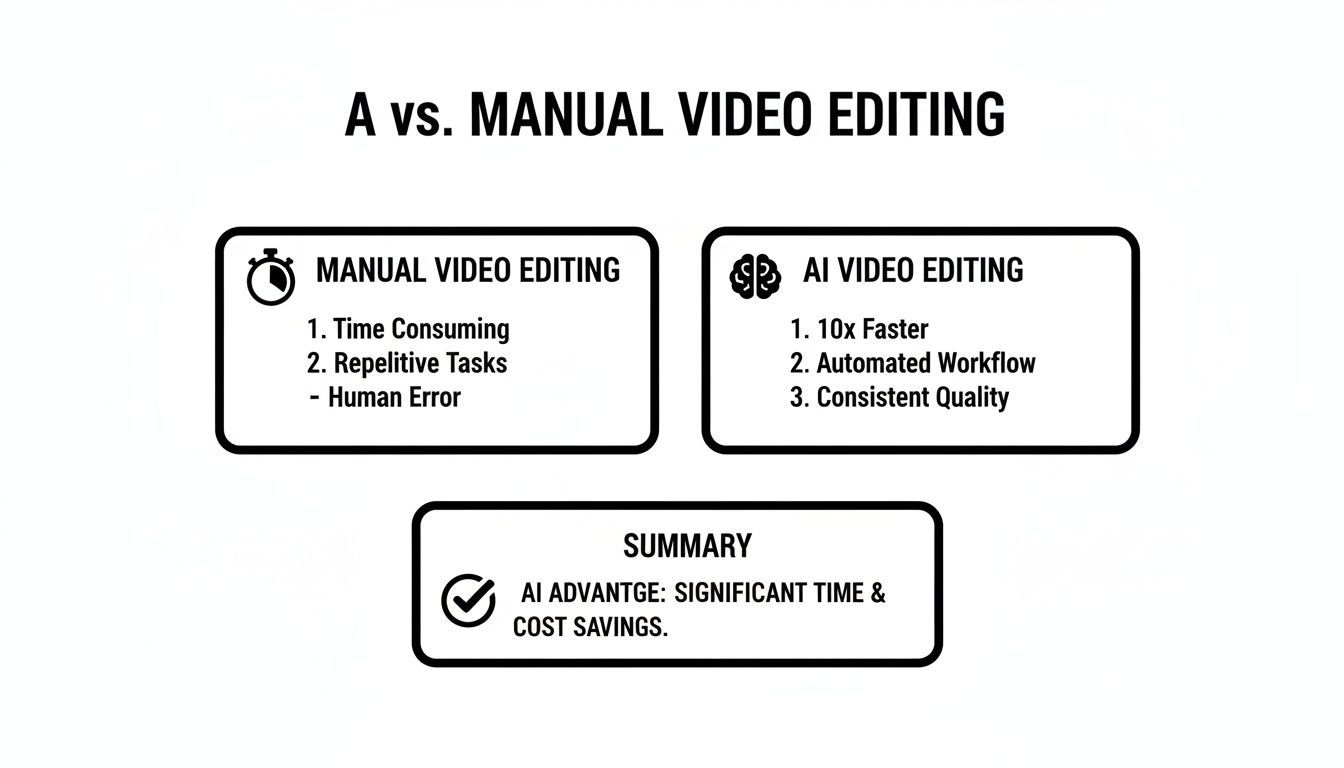
This isn't a small, incremental improvement. It’s a complete overhaul of the production process, shifting your time from tedious editing tasks to high-level creative strategy.
Comparing Manual vs AI-Powered Video Creation
To truly grasp the efficiency gains, let's break down the time spent on daily content creation. See how an integrated AI shorts video maker stacks up against the old-school manual approach.
| Task | Traditional Manual Process | AI-Powered Process (ShortGenius) |
|---|---|---|
| Ideation & Scripting | 30-60 minutes | 5-10 minutes |
| Finding B-Roll/Visuals | 45-90 minutes | Automated (seconds) |
| Voiceover Recording/Editing | 30-60 minutes | 1-2 minutes (AI generation) |
| Scene Assembly & Editing | 60-120 minutes | 2-5 minutes |
| Captions & Branding | 20-30 minutes | 1-2 minutes |
| Resizing for Platforms | 15-20 minutes | Automated (seconds) |
| Total Time per Video | 3-6 hours | 10-20 minutes |
The numbers speak for themselves. The shift from hours to minutes for a single piece of content is what allows creators and brands to finally meet the demands of modern social platforms.
The greatest advantage of using an AI shorts video maker isn't just speed; it's the ability to consistently show up for your audience with high-quality, on-brand content without sacrificing your sanity or your budget.
Turning Your Ideas Into Viral-Ready Scripts
We’ve all been there—staring at a blinking cursor, trying to come up with that one great idea for a short video. It’s a total creativity killer. This is where an AI shorts video maker like ShortGenius really changes the game. It acts like a brainstorming partner, letting you leapfrog right over writer's block and get straight to creating.
You don't need a perfectly polished concept anymore. Just give the AI a topic, a URL from a competitor's video, or even just a half-baked thought. In seconds, it spits out dozens of structured script ideas. The real win here isn't just the speed; it's about seeing angles and hooks you probably wouldn't have thought of on your own.
Fine-Tuning the AI's First Draft
The initial script from the AI is a fantastic starting point, but the real magic happens when you bring your own voice and expertise into the mix. I always tell people to think of the AI's output as high-quality clay; it’s your job to shape it into something that’s uniquely yours.
Start with the first one to three seconds. That’s your hook. It’s everything. If it doesn't grab someone, they're gone. So, sharpen that opening line. Make it more intriguing, maybe a little controversial, or just plain surprising. For instance, if the AI gives you, "Here are three tips for better sleep," you could punch it up to, "Your phone is secretly ruining your sleep, but not for the reason you think." See the difference?
Next, make sure the script actually sounds like you. If your brand is funny and casual, get rid of any stiff, formal language. If you're positioned as a trusted expert, drop in a specific stat or a quick personal story that proves you know your stuff. The AI gives you the framework, which frees you up to inject the personality.
Building a Binge-Worthy Content Series
Want to really grow your audience? Stop thinking in one-off videos and start thinking in series. Creating a "content pillar"—a collection of videos all focused on a central theme—is one of the smartest things you can do. It gets people binge-watching your stuff and establishes you as the go-to expert.
An AI shorts tool makes this strategy so much easier to pull off.
Instead of trying to come up with one video idea at a time, you can generate a whole cluster of related scripts at once. Let's say your topic is "beginner photography tips." You could instantly get scripts for videos on:
- The Exposure Triangle Explained Simply
- 3 Composition Rules You Can't Ignore
- My Favorite Budget Lenses for Portraits
- How to Edit Your Photos Right on Your Phone
With a tool like ShortGenius, you can bundle these scripts into a dedicated "Series." This keeps you organized and helps you build out a consistent publishing calendar around a topic your audience actually cares about. They’ll know what to expect and keep coming back for more.
The most successful creators don't just post random videos; they build a library of valuable content. Using AI to generate and organize scripts into a series is the fastest way I've seen to build that library and lock in your authority on a topic.
From Script to Screen: Generating Your Visuals and Voiceover
With your script locked in, it's time for the magic to happen. This is where we turn those words on a page into a living, breathing video. An AI shorts video maker like ShortGenius really shines here, taking your text and generating a fully narrated video draft without you ever having to dig through stock footage libraries or set up a microphone.
The platform doesn't just grab random clips. It reads every line of your script and uses its AI models to dream up corresponding visuals from scratch. It’s trying to understand the context, the emotion, and the action to create something that actually fits.
This kind of technology is exactly why the Generative AI in Video Creation market is exploding—jumping from USD 336.1 million in 2023 to a projected USD 2,298.8 million by 2033. People are catching on to how much faster this is. You can explore more data on the Generative AI in video market.
Dialing in the Perfect Visual Style
The AI's first attempt at visuals is usually a great starting point, but you're always in the driver's seat. If a scene feels a little off or doesn't quite capture the vibe you’re going for, you can regenerate it in seconds. Just select the clip and give the AI a more specific prompt, or browse through a few alternative options it suggests.
You can also set the overall aesthetic for the entire video with artistic presets. This is a game-changer for keeping your content on-brand.
- Cinematic: Great for storytelling, giving your video that high-contrast, dramatic movie feel.
- Minimalist: Perfect for a clean, modern look that feels professional and sharp.
- Surreal: Want to stand out? This generates abstract, dreamlike visuals that are hard to ignore.
- Vintage: Adds a bit of nostalgia with film grain and muted colors.
Think of these presets as a one-click shortcut to a consistent, professional look. It saves a ton of time and helps build a recognizable brand identity.
The real power here is collaboration. Don't just take the AI's first draft. Use it as your creative partner. Tweak, refine, and guide it until the visuals perfectly match what's in your head.
Finding the Right Voice for Your Video
Let's be honest, the wrong voiceover can ruin a great video. Recording your own can be a huge hassle—you need a good mic, a quiet room, and plenty of takes. An AI voice generator sidesteps all of that.
ShortGenius comes with a whole library of natural-sounding AI voices. You can find everything from high-energy and exciting for a promo video to calm and trustworthy for a tutorial.
Just listen to a few samples, pick the one that feels right for your brand, and the AI handles the rest, narrating your script instantly. If you change your mind later, swapping the voice is as easy as selecting another from the list. This gives you the freedom to experiment without having to re-record anything. It’s all about finding that perfect audio to complement your visuals. Learn more about how text-to-video technology works in our guide.
Editing And Branding Your AI-Generated Video
The AI has assembled a solid first draft—the visuals are there, the voiceover is synced, and the pacing is pretty good. But now it’s time for your touch. This is where you inject your brand's personality and fine-tune the details to transform a good video into a great one. Don't worry, this isn't a massive editing job; it's about making small, smart tweaks.
Think of the timeline editor as your control panel for perfecting the flow. Does a scene drag on for a second too long? Just trim the clip to tighten it up. You can also easily drag and drop scenes to reorder them. Maybe a powerful visual would work better as an opening hook? Move it to the front. Simple as that.
This isn't about getting lost in complicated, frame-by-frame edits. It’s about making quick, decisive adjustments that sharpen the story. If you want to get a bit more creative, you can even generate entirely new video clips from static images. We've got a great guide on using an image to video model that walks you through that process.
Unifying Your Content With a Brand Kit
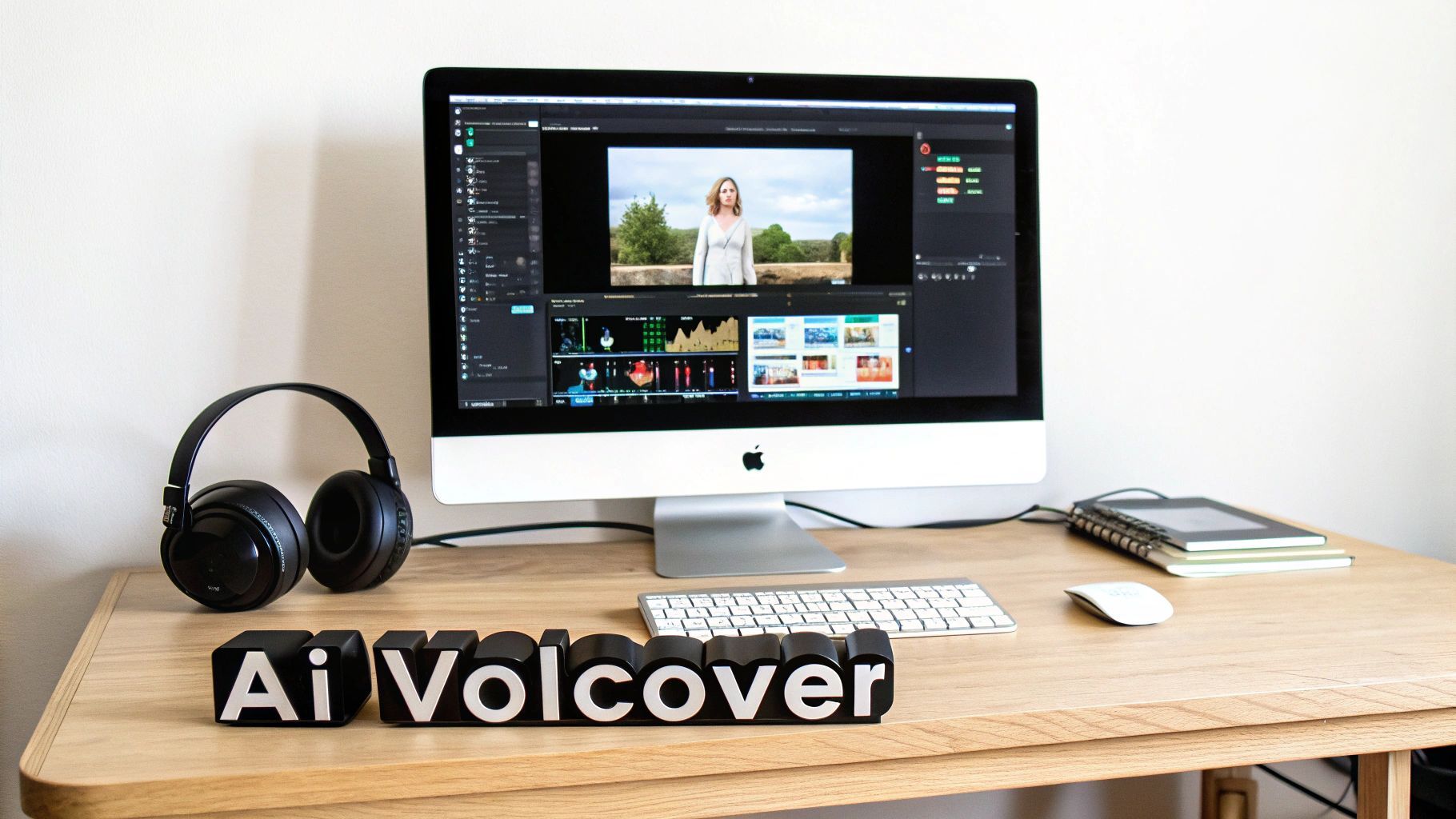
If you want people to recognize your content at a glance, consistency is everything. This is where a Brand Kit becomes your best friend. It’s a feature in a good ai shorts video maker that automatically applies your branding to every video, saving you from a ton of tedious manual work.
You just set it up once, and you’re done.
- Logo Application: Your logo gets stamped in the same spot on every video, usually as a subtle corner overlay.
- Color Palette: Captions and other on-screen text instantly pull from your brand’s color scheme.
- Custom Fonts: Your specific brand font is used for all text, locking in your unique style.
Applying the Brand Kit is usually just a single click. That one action turns a generic AI video into a polished, professional piece of content that looks like it came straight from your marketing team. It’s a small detail that makes a massive difference in how your brand is perceived.
Optimizing for Every Platform
Your video isn’t truly done until it's ready for how people will actually see it—which, most of the time, is on their phones. This means getting your captions and aspect ratios right is non-negotiable.
So much social media video is watched with the sound off. If you don't have bold, easy-to-read captions, a huge chunk of your audience will just scroll right past. You're losing them before they even hit play.
The AI will have already transcribed the voiceover for you, but you get to style the captions. You can tweak the font, size, and color to fit your brand. I highly recommend playing with the animation styles, too. Things like word-by-word highlights or pop-up text effects are fantastic for keeping viewers engaged.
Finally, you have to think about screen size. One video needs to look good everywhere. A simple resize function lets you instantly prep your content for different platforms:
- 9:16 (Portrait): Essential for TikTok, Instagram Reels, and YouTube Shorts.
- 1:1 (Square): Perfect for feed posts on Instagram and Facebook.
- 16:9 (Landscape): The go-to for standard YouTube videos or embedding on your website.
This ensures your video looks native to each platform, filling the screen properly and giving viewers a much better experience without forcing you to re-edit the entire thing from scratch.
Publishing Your Content For Maximum Reach
Creating a polished, branded video is a major victory, but the job isn't done. Now you have to get it in front of the right audience. Your distribution strategy is just as crucial as the creation process, and a really good ai shorts video maker builds this final step directly into its workflow. It’s all about creating a reliable, automated content pipeline.
With an integrated scheduler, you can plan and automate your posts across multiple platforms without ever leaving the tool. Think about it: you can line up an entire week’s worth of content for TikTok, YouTube Shorts, and Instagram Reels in a single sitting. Consistency is the name of the game on these platforms, and automation is what makes it possible.
Optimizing Posts For Each Platform
Of course, simply blasting the same video everywhere won't cut it. You have to tailor your delivery for each audience. AI can give you a leg up here, too, by generating platform-specific descriptions and hashtags that actually help people find your videos. To really make sure your AI shorts get seen, you’ll want to strategically post them on major hubs like the TikTok platform.
This boom in AI-powered tools is happening for a reason. The AI Video Generator market was valued at USD 0.43 billion in 2024 and is expected to rocket to USD 2.34 billion by 2030. This growth is fueled by the insane amount of content needed for platforms where users upload millions of videos every single day. That's why auto-scheduling isn't just a nice-to-have; it's essential.
The smartest creators build a system. They don’t just create content; they have an automated, optimized plan to distribute it. This frees up mental energy to focus on the next great idea.
Don't forget about your thumbnails, either. A compelling thumbnail can be the difference between a scroll and a click, especially on YouTube Shorts where it pops up in user feeds. Use the AI to spit out a few options and pick the one that’s the most eye-catching and best represents your video's hook.
Timing Your Posts For Peak Engagement
Finally, let's talk timing. It’s everything. Posting when your audience is most active can give your video a huge initial boost, which signals to the algorithm that your content is worth showing to more people.
A great scheduler will have analytics that help you pinpoint these peak windows. Dive into your audience data and don't be afraid to experiment with different posting times to see what sticks. When you combine this data-driven approach with a steady stream of high-quality, AI-generated content, you've got a powerful engine for growing on multiple channels at once.
This same streamlined process is also incredibly effective for producing high-performing ads. You can learn more about that in our guide on using the ShortGenius AI ad generator.
A Few Common Questions About AI Shorts Makers
Jumping into AI-powered video creation can feel like a whole new world, and it's natural to have questions. As these tools become a bigger part of the creator economy, it's good to get a handle on what they can really do. Let's clear up some of the most common questions people have when they're thinking about using an ai shorts video maker.
My aim here is to give you straight, practical answers so you can start using these tools with confidence.
Can I Really Make Professional Videos if I Have Zero Editing Skills?
Yes, you absolutely can. The whole point of modern AI video platforms is to open up high-quality video creation to everyone, not just people who live in Adobe Premiere Pro. They roll scriptwriting, visual generation, voiceovers, and editing into one smooth process, taking the technical headaches out of the equation.
Things like one-click branding, pre-set visual styles, and automatic captions do all the tough work for you. This frees you up to concentrate on what actually matters: your idea and the story you're trying to tell. You get to be the director, not the technician.
You end up with polished, professional-looking content that used to require a whole suite of expensive software and a ton of experience. Now, all it takes is a good idea.
Is AI-Generated Video Content Actually Safe to Post on Social Media?
This is a big one, and it’s a smart question to ask. The short answer is yes, as long as you're using a reputable platform. Good AI tools generate completely new, original visuals from your text prompts. They aren't just scraping copyrighted videos from Google or YouTube.
What's really important is to pick a service with clear terms of use. You want to see that they grant you full commercial rights to everything you create. This is your green light to post on monetized channels like YouTube and TikTok without looking over your shoulder for copyright strikes. When you make it, you own it. Simple as that.
How Do I Keep My Videos From Looking Like Generic AI Content?
This is where you, the creator, come in. The secret is to think of the AI as a creative assistant, not an assembly line. Never just accept the first thing it spits out.
Here’s how to make sure your videos have your unique stamp on them:
- Tweak the Script: Get in there and edit the AI-generated script. Add your own humor, your specific phrasing, your brand's voice. Make it sound like you.
- Play with the Visuals: Don't be afraid to experiment with different art styles and presets. If a scene looks a little bland, hit regenerate and give the AI more specific directions until it nails the vibe you're going for.
- Bring Your Own Stuff: Upload your logo, product photos, or any other unique images. This is the fastest way to make a video feel custom and less like it came out of a box.
- Lock in Your Brand Kit: Applying your brand's specific colors, fonts, and logo to every video creates a consistent, recognizable style that immediately sets you apart.
At the end of the day, your creative direction is what turns a good AI video into a great one that stops the scroll.
Ready to slash your production time and create stunning short videos in minutes? ShortGenius unifies every step of the process, from script to schedule. Join over 100,000 creators and start building your content engine today at https://shortgenius.com.