AI Instagram Reels Video Ads Tutorial A Practical Guide

Struggling with Reels? Our AI Instagram Reels video ads tutorial shows you how to create high-converting video ads from concept to campaign analysis.
An effective ai instagram reels video ads tutorial really comes down to using the right tools to handle the grunt work—scripting, finding visuals, and doing voiceovers—so you can stay focused on the big picture. Think of AI as your creative co-pilot. It helps you crank out high-quality, conversion-focused ads faster and for a fraction of the traditional cost.
Why AI Is Your New Secret Weapon for Reels Ads

Let's be honest: creating Instagram Reels ads that stop the scroll and actually make you money is a huge challenge. Before we get into the nuts and bolts, it's important to see why AI is more than just a passing fad. It’s a complete game-changer, especially for small businesses and solo entrepreneurs.
The old way of thinking—that you need a huge budget or a production team to make a great video ad—is officially dead.
AI tools are leveling the playing field, putting professional-grade video production within everyone's reach. The real magic, though, is in the speed and intelligence they bring to the table. Instead of spending days agonizing over a single video concept, you can now dream up and test a dozen different creative angles in just one afternoon. This rapid-fire approach is what separates the campaigns that fizzle out from the ones that truly succeed.
The Power of Speed and Scale
Think about coming up with a new hook for your ad. The old-school way involved writing a script, filming it, spending hours editing, and then waiting days to see if it even worked. Now, with AI, you can generate five different script variations, match them with unique AI-generated visuals, add a clean synthetic voiceover, and have five totally different ads ready to test in less than an hour.
This completely changes how you approach advertising:
- Slash Your Production Time: Go from a spark of an idea to a finished, ready-to-run ad in minutes, not days.
- Create on a Budget: Forget about expensive camera gear, hiring actors, or paying for marathon editing sessions.
- Make Smarter Decisions: Quickly test a bunch of ad versions to find out what your audience actually responds to, then put your money behind the winners.
The real advantage of using AI for Reels ads is that you stop guessing what works and start knowing what works. You’re building smarter, faster, and more effective campaigns driven by real performance data, not just a gut feeling.
Tapping Into a Growing Ad Market
This shift is happening at the perfect time. Instagram Reels have become a huge part of Meta’s advertising platform. In Q3 2024, Reels made up a staggering 22.2% of all ad placements, which shows just how much advertisers are leaning into short-form video.
To really get a handle on the fundamentals, it’s worth digging deeper into AI-powered content creation. This approach helps you tap into a massive audience that's nearing 700 million users. If you're curious about the numbers, you can find more of the latest Instagram Reels ad statistics.
From Idea to Storyboard with an AI Co-Pilot
A killer ad starts with a great script, but let's be honest—staring at a blinking cursor on a blank page is intimidating. This is where I bring in AI, but not just as a content-churning machine. I use it as a creative partner. Forget lazy prompts like 'write me a script.' We're going to get much more strategic.
The whole game is about feeding the AI specific, high-value inputs. Give it the raw materials of a great ad—your customer's biggest frustrations, how your product swoops in to save the day, and the unique vibe of your brand—and it will give you scroll-stopping hooks and stories that actually resonate.
Crafting a Prompt That Actually Works
Think of your prompt as a creative brief for your AI sidekick. It sets the scene, defines the characters, and spells out exactly what you want to achieve. If you give it generic inputs, you'll get generic, forgettable outputs back. Precision is everything.
I've found a simple formula that works wonders. Make sure your prompt includes these four key elements:
- Audience Persona: Who are you really talking to? Get specific. Instead of "women," think "busy working moms in their 30s who are completely overwhelmed by meal prep."
- Pain Point: What's the one thing that keeps them up at night? For example: "They struggle to find healthy, quick dinner options their kids will actually eat."
- Product as the Hero: How does your product solve this exact problem? "Our meal kit service delivers pre-portioned, kid-approved recipes that take just 15 minutes to make."
- Brand Voice & Desired Action: How do you want to sound? (e.g., "empathetic and supportive, like a helpful friend"). And what's the goal? ("Click the link to get 50% off their first box").
When you put these pieces together, you're giving the AI a rich, detailed world to work with, which is how you get a relevant and compelling script.
Here’s a look at this kind of detailed prompt in action.
You can see how the AI takes that specific input and breaks down the ad into a hook, body, and call-to-action. A well-structured prompt like this hands you a ready-to-use creative concept on a silver platter.
From Words to Visuals with an AI Storyboard
Once you’ve nailed down a script you love, it’s time to see what it looks like. In the past, this meant hiring an artist or wasting hours digging through stock photo sites to cobble together a storyboard. Now, you can mock it up in minutes with an AI image generator.
A storyboard is your ad's visual blueprint. It maps out each scene, making sure your video has a clear story and consistent look before you spend a dime on production. For a quick 15-30 second Reels ad, you’ll probably want 3-5 key visual scenes.
Just take each line or action from your script and turn it into a prompt for the image generator. If your script says, "A tired mom stares blankly at an open fridge," that’s your prompt. It's that simple.
Pro Tip: To keep your storyboard images from looking like a random collection of photos, add style instructions to every single prompt. I use phrases like "cinematic lighting," "warm and inviting color palette," "shot on a DSLR camera," or "authentic user-generated content style" to guide the AI toward a cohesive look and feel.
Let's walk through an example for an e-commerce brand selling a portable coffee maker. The idea is to show off how versatile it is.
- Scene 1 Prompt: "A realistic photo of a young woman enjoying a fresh coffee on her city apartment balcony at sunrise. The portable coffee maker is on the small table next to her. The style should be bright and airy, like authentic user-generated content."
- Scene 2 Prompt: "A realistic photo of a man in hiking gear making coffee with a portable coffee maker at a scenic mountain overlook. The style should be adventurous and rugged, like authentic user-generated content."
- Scene 3 Prompt: "A realistic close-up photo of the portable coffee maker brewing coffee on a messy desk next to a laptop. The style should feel relatable and productive, like authentic user-generated content."
This AI-powered approach lets you build and tweak your ad's entire visual story for free. You can test different angles, swap out settings, and try new character styles in an instant. For teams that want to produce high-quality UGC-style ads at scale, it’s worth exploring how to generate AI UGC ads with more advanced workflows.
This pre-production step is a non-negotiable part of our ai instagram reels video ads tutorial. It ensures your final video is built on a solid, pre-visualized plan.
Crafting the Visuals: Turning Your Storyboard into a Reel
Okay, you've got the blueprint—your script and storyboard are ready to go. Now for the exciting part: bringing it all to life. This is where we dive into the AI tools that will generate, edit, and polish every second of your Instagram Reels ad. It might seem like magic, but it’s actually a straightforward and repeatable process.
The goal here is simple: translate each scene from your storyboard into a short, compelling video clip. The biggest hurdle I see people face is keeping the visuals consistent. You can't have your main character or product looking drastically different from one shot to the next, as it breaks the viewer's immersion instantly.
Picking the Right AI Video Generator
Let's be clear: not all AI video tools are built the same. Some are wizards at creating ultra-realistic human avatars, while others are geared toward cinematic, almost fantasy-like scenes. The right choice really boils down to the kind of ad you're making.
- For Product-Focused Ads: Look for tools that let you upload an image of your product and then animate it. This is a game-changer for creating dynamic 360-degree views or placing your product into a bunch of different AI-generated settings without an expensive photoshoot.
- For Story-Driven Ads: Platforms like Runway or Pika are fantastic for this. You feed them your text prompts, and they generate short, narrative video clips that can bring your storyboard scenes to life.
- For UGC-Style Ads: Some newer platforms specialize in creating authentic-looking "user-generated content." They often use AI avatars that can speak your script, which is perfect for building trust with testimonial or review-style ads.
The real secret to getting great results from AI video is all in the prompt. Don't just say, "a woman happy with her coffee." Get specific. Try something like: "A close-up shot of a 30-year-old woman with brown hair, smiling genuinely as she sips coffee in a brightly lit cafe with a shallow depth of field, cinematic style." Those details make all the difference.
This workflow visualizes how AI takes you from a simple idea to a full-fledged visual plan.
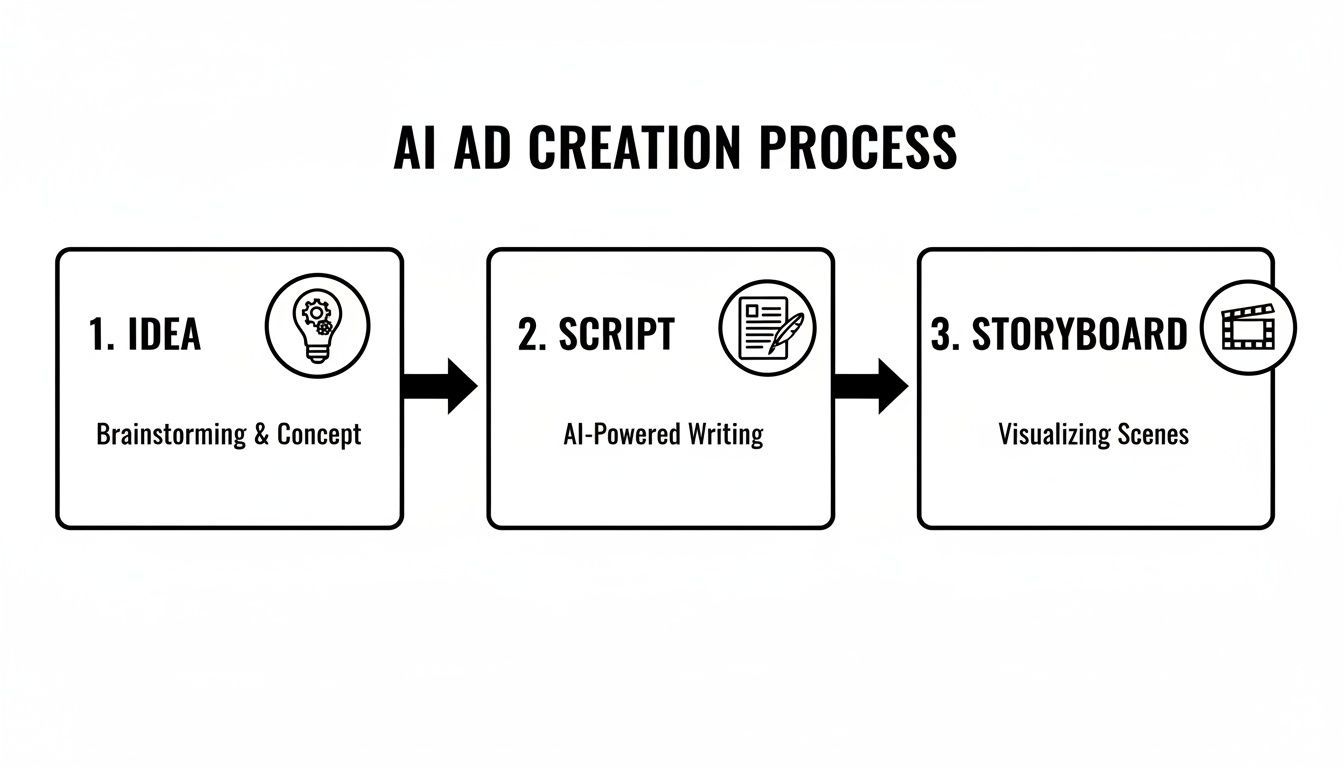
Having this streamlined process is crucial because it allows you to go from concept to a concrete visual plan incredibly fast, which is essential for rapid testing and iteration.
Assembling and Editing Your AI-Generated Clips
Once you have your individual clips—I usually aim for 3-5 short scenes for a Reels ad—it's time to stitch them together. You could fire up traditional video editing software, but AI-powered editors can make this part of the job so much faster.
Many of these smart editors can automatically suggest the best cuts, find seamless transitions, and even recommend background music that fits the vibe of your ad. A good AI ad generator will often roll these features into an all-in-one workspace, saving you a ton of time.
Here’s what your editing flow should look like:
- Import Your Clips: Drop all your AI-generated video files into the editor.
- Arrange and Trim: Put them in order based on your storyboard. Be ruthless here—trim any dead air or unnecessary frames to keep the pace snappy.
- Apply Smart Transitions: See what the AI suggests for transitions. For Reels, a simple, clean cut often works best to maintain high energy.
- Add Your Branding: Overlay your logo and any brand colors or graphics. This is key for brand recall.
This is also where we’ll layer in the audio that really makes your ad pop.
Adding a Human-Sounding AI Voiceover
A great voiceover can be the difference between an ad that converts and one that gets scrolled past. Luckily, AI voice technology has come a long way from those old robotic, monotone voices. Today's tools can generate incredibly natural-sounding narration in different tones, accents, and emotional styles.
To get a professional-sounding result, focus on these details:
- Pacing: Use commas or ellipses in your script to tell the AI where to insert strategic pauses. This makes the delivery sound much more natural and less like a machine reading a script.
- Tone: Pick a voice and style that actually sounds like your brand. Are you upbeat and energetic? Or more calm and authoritative?
- Emphasis: Most good AI voice tools let you adjust the pitch or add emphasis to specific words. Use this to highlight your key benefits or nail the call to action.
Once your voiceover is generated, just layer the audio track over your video timeline in the editor. Make sure the narration syncs up perfectly with the visuals on screen.
Generating Dynamic Captions for Silent Viewers
Here’s a hard truth: a huge chunk of your audience will watch your Reel with the sound off. This makes on-screen captions an absolute necessity. But let’s be honest, plain, static captions are boring and easy to ignore.
AI captioning tools can automatically transcribe your voiceover and, more importantly, style the text in eye-catching ways. Think "karaoke-style" captions where words are highlighted as they're spoken, or text that uses vibrant brand colors and subtle animations to stand out.
As AI becomes more integral to video creation, knowing how to add subtitles to MP4 files with these tools is a critical skill for optimizing your ads. The goal is to make your captions a core part of the visual experience, not just a tacked-on accessory.
By 2025, an estimated 46% of marketers were already using generative AI to create short-form videos. Even more telling, 65% of Instagram marketers said that AI text-to-video tools helped them publish Reels more consistently—and consistency is everything on that platform.
By combining AI-generated video, a smart editor, a natural voiceover, and dynamic captions, you’ve just turned a simple storyboard into a polished, high-potential Instagram Reels ad. Now, it's ready for the final step: setting it up in Ads Manager.
Launching Your Campaign in Meta Ads Manager
Alright, you've got a killer, AI-generated video ready to go. But even the most brilliant creative will fall flat if the campaign setup is clumsy. Think of Meta Ads Manager as the launchpad—getting the settings right is just as critical as building the rocket itself.
Let's walk through how to launch your new AI-powered Reels ad without any of the usual fluff.
First, Nail the Technical Specs
Before we even get into the campaign settings, we have to talk about the technical details. Instagram Reels have strict requirements, and messing these up is a surefire way to get your ad rejected or, even worse, have it look terrible and drain your budget.
Your video absolutely must be in a 9:16 aspect ratio (that’s 1080x1920 pixels) to fill the whole screen. It’s what users expect. If your AI tool kicked it out in a square or widescreen format, don't sweat it. A good AI video editor can resize it in seconds, saving you a ton of manual work while keeping the quality sharp.
Choosing the Right Campaign Objective
Okay, now we're in the Ads Manager. The very first decision you make is your campaign objective. This tells Meta's algorithm what you're actually trying to accomplish, and it completely changes who sees your ad and what actions Meta optimizes for.
Don't just pick "Engagement" because you want a few extra likes. You need to tie this to a real business outcome.
For a Reels ad, you'll likely be looking at one of these three:
- Sales: This is your go-to if you're selling a product directly from your website. Meta’s algorithm will hunt for people who are most likely to pull out their credit card and buy.
- Leads: Perfect for service businesses, high-ticket items, or promoting something like a webinar. The goal here is to get people to fill out a form with their contact info.
- Traffic: Use this if your main goal is simply to get eyeballs on a blog post or landing page. It’s a broader objective than sales but fantastic for building an audience or warming up a cold market.
Be honest with yourself here. Choosing "Sales" when all you really want is website traffic will just result in a sky-high cost-per-result because the algorithm is chasing an action that isn't aligned with your true goal.
Here’s a look at the dashboard where you'll make this critical first choice.
This interface is the starting point for every campaign, showing the different objectives you can select to align with your business goals.
Defining Your Audience
Next up is figuring out who sees your ad. It’s easy to get lost in the weeds here, but you really have two main paths: letting Meta's AI do the heavy lifting or taking the wheel yourself.
Advantage+ Audience: This is Meta's AI targeting. You give it a few simple directions—age, location, maybe a couple of core interests—and the algorithm finds your ideal customer for you. I've found this works surprisingly well for products with broad appeal, as long as you have enough budget to let the algorithm learn.
Manual Targeting: This is the classic approach where you build a specific audience persona. You layer demographics, interests, and behaviors to zero in on your ideal customer. It’s a great option for niche products. For example, if you're selling a high-end portable coffee maker, you could target people interested in "hiking," "espresso," and "travel blogs."
My rule of thumb is to trust Advantage+ for top-of-funnel campaigns where I'm just trying to get the word out. But for retargeting—showing ads to people who've already visited my site—I always build a specific, manual audience. You just can't beat that level of relevance.
Crafting Your Ad Creative and Copy
This is where you'll upload that AI-generated Reel you worked so hard on. In the "Ad Creative" section, select your video and get ready to write the words that will seal the deal.
Your primary text (the caption) and headline are your last chance to hook someone.
Keep the text short and punchy. Lead with the biggest benefit. For our coffee maker example, a headline like "Fresh Espresso, Anywhere" gets straight to the point and is incredibly powerful.
Now for the most important advice in this entire guide: always be testing. Never, ever launch just one version of your ad. Your AI workflow makes creating variations a breeze, so take advantage of it! Set up a simple A/B test to see what your audience actually responds to.
Try creating two ad sets and change only one thing between them:
- Test Video A vs. Video B: Use the exact same copy and audience but run two different AI-generated videos.
- Test Hook A vs. Hook B: Keep the video the same but try two completely different headlines.
- Test CTA A vs. CTA B: See whether "Shop Now" outperforms "Learn More" for your offer.
Once you launch, give it at least 3-4 days before you even peek at the data. Meta's algorithm needs time to find its groove. After a few days, you'll have clear data showing which ad is driving the best results at the lowest cost. That’s your winner. Go with it.
How to Analyze and Scale Your Winning Reels Ads

Alright, you’ve launched your AI-generated ad. Hitting "Publish" might feel like the finish line, but it’s really just the start of the most critical phase. This is where you separate the ads that just burn cash from the ones that actually build your business.
The goal now is to turn good results into great ones, and that begins with knowing what to look for inside Meta's Ads Manager. Don't let the sheer volume of data intimidate you. For Reels ads, you only need to focus on a few key metrics to make smart, profitable decisions.
Decoding Your Reels Ad Performance
Let's cut right through the noise. To figure out what’s working, you need to look at three things: how people are reacting to your video, what it costs you to get them to act, and how much money you're making back.
These metrics tell the whole story.
-
Hook Rate (First 3-Second Plays / Impressions): This is the single most important test of your ad’s ability to stop the scroll. You need to be aiming for a hook rate of 30% or higher. If you're hitting that mark, your opening visual and first line are doing their job. If not, you know immediately that you need to go back and test a new AI-generated hook.
-
Outbound Click-Through Rate (CTR): This tells you how many people were intrigued enough by your Reel to actually click the link and leave Instagram. It’s a direct measure of how persuasive your ad is as a whole.
-
Cost Per Result (CPR): Whether a "result" for you is a lead, a sale, or just a visit to your website, this number shows you exactly what you’re paying for it. Your target CPR is unique to your business and what you can afford to pay to acquire a customer.
-
Return on Ad Spend (ROAS): For any e-commerce brand, this is the holy grail. It measures the total revenue you get back for every dollar you put in. A 3x ROAS is a solid benchmark to aim for—it generally means you have a campaign with the potential to scale profitably.
Knowing When to Scale and When to Kill
After letting your ads run for a few days, you'll have enough data to start making calls. The strategy is simple: feed your winners and starve your losers.
You’re hunting for an ad that hits the sweet spot of a low Cost Per Result and a high ROAS. When you find that magical combo, it's a screaming green light to start pushing more budget behind it. Never get emotionally attached to a creative you like if the numbers are telling you it's a dud.
Here’s a quick-and-dirty guide on what to do based on what you’re seeing:
| Performance Signal | Your Next Move | Why It Matters |
|---|---|---|
| High ROAS & Low CPR | Scale Budget: Bump the daily budget up by 20% every 2-3 days. | You've struck gold. Increasing the budget slowly and steadily lets Meta's algorithm adapt without sending it into shock. |
| High CTR but Low ROAS | Analyze Landing Page: The ad is working, but the sale is breaking down after the click. | The issue isn't the ad itself. Check your page speed, make sure your offer is crystal clear, and simplify your checkout process. |
| Low Hook Rate & High CPR | Kill & Test New Hook: Pause this ad immediately. Go back to your AI tools and generate a new opening. | The first three seconds are everything on Reels. If you can't stop the scroll, the rest of your ad is completely wasted. |
| Good ROAS but High Frequency | Duplicate & Target New Audience: Your ad is getting stale with your current audience. | Relaunch the exact same winning ad, but this time, point it at a new lookalike or interest-based audience to find fresh customers. |
Closing the AI Feedback Loop
The real power here comes from creating a feedback loop. Every single ad you run—whether it wins or loses—gives you priceless data.
Take what you learn from your best-performing ads and use those insights to write better prompts for your next batch of AI scripts and video concepts.
Did a certain visual style or emotional tone crush it? Tell your AI tools about it. This cycle of launching, analyzing, learning, and relaunching is what transforms stagnant campaigns into engines for sustainable growth. This is the core of any successful ai instagram reels video ads tutorial.
Got Questions About AI Reels Ads? We've Got Answers
Diving into the world of AI-generated ads naturally brings up a few questions. Let's tackle some of the most common ones I hear from marketers who are just starting to use AI in their Instagram Reels strategy.
What’s the Best AI Video Generator for Reels Ads?
Honestly, there’s no single "best" tool—it really boils down to what you're trying to achieve.
If your ads need a realistic, human-like presenter to talk to the camera, a platform like Synthesia is incredibly powerful. But if you’re aiming for more cinematic, creative scenes generated from a simple text prompt, then tools like Sora or Runway ML are probably more your speed.
My best advice? Sign up for a few free trials. There’s no substitute for getting your hands dirty and seeing which platform’s workflow feels right for you and matches your brand’s look.
How Much Should I Actually Budget for an AI Reels Campaign?
You can get started without breaking the bank. A daily budget of $10-$20 is a great starting point to see what’s working and gather some initial performance data on your AI-made ads.
Just make sure you let the campaign run for at least four to five days. This gives Meta's algorithm enough time to work its magic, learn who your audience is, and start optimizing delivery. Once you have a clear winner, that's when you can confidently start scaling up the budget.
I see this all the time: people pull the plug on an ad way too early. You have to give the algorithm time to learn before you can tell if an ad is truly a success or a flop. Patience pays off.
Can AI-Generated Videos Look Robotic or Fake?
That’s a fair concern, but it's one you can definitely avoid. The secret to making AI video feel authentic is all in the details you provide in your prompts.
Don't just ask for a "person drinking coffee." Get specific. Describe the warm morning light, the close-up camera angle on the steam, the relaxed expression on the person's face. The more detail you feed the AI, the more lifelike the output will be.
You can also use AI editing tools to layer in your own brand assets, smooth transitions, and on-brand music. This final polish helps blend the AI-generated clips into a final ad that feels cohesive and anything but robotic. Many all-in-one platforms designed for marketers have these features built right in. If you're looking for a tool that handles the entire ad creation process with AI, check out the features on ShortGenius.
Ready to stop guessing and start creating high-performing Reels ads in minutes? With ShortGenius, you can generate everything from scripts and UGC-style scenes to voiceovers and captions, all powered by AI. Start creating with ShortGenius today!