Բացահայտեք հիասքանչ որակը. Upscale Video AI

Սովորեք տեսանյութերի upscale-ի AI գործնական աշխատանքային հոսքը: Ներառեք կադրերի նախապատրաստումը, օպտիմալ կարգավորումները, խմբային մշակումը և ShortGenius-ով սոցցանցերի արտահանումը:
Դուք ունեք կլիպ, որը պետք է աշխատի։
Միգուցե դա հին հաճախորդի վկայություն է, որը ձայնագրվել է հեռախոսով։ Միգուցե օգտագործողի կողմից ստեղծված կադրեր են, որոնք կատարելագործում են հույզերը, բայց ժամանակակից էկրանին թվում են փափուկ։ Միգուցե անցյալի լավագույն կատարողություն է, որն ցանկանում եք վերահրապարակել, կտրել և վերածել թարմ short-form ակտիվների։ Գաղափարը հզոր է։ Օրիգինալ ֆայլը՝ ոչ։
Միայն այստեղ է, որ upscale video ai-ն դադարում է լինել նորամոլություն և սկսում է դառնալ արտադրական գործիք։
Հ good AI upscaling-ը կարող է փրկել կադրերը, որոնք հակառակ դեպքում կտային։ Վատ AI upscaling-ը վատնում է ժամեր, չափազանցում է սեղմման աղմուկը և տալիս է դեմքեր, որոնք ունեն պլաստիկ, չափից դուրս եփված տեսք, որ հանդիսատեսը անմիջապես նկատում է։ Տարբերությունը հոսքի մեջ է։ Օրիգինալ որակը, մոդելի ընտրությունը, batch handling-ը և export որոշումները ավելի կարևոր են, քան գործիքի հիմնական էջի մարքեթինգային պնդումները։
Ինչու է AI Video Upscaling-ը ստեղծողի գերէներգիա
Ցածր լուծաչափով կադրերը նախկինում ունեին կոշտ սահմանափակում։ Դուք կարող erte ընդլայնել դրանք, բայց չէի կարող իսկապես բարելավել։ Ավանդական scaling-ը ձգում էր պիքսելները։ Այն դարձնում էր կլիպերը ավելի մեծ, բայց ոչ ավելի լավը։
AI video upscaling-ը աշխատում է տարբեր կերպ։ Այն օգտագործում է deep learning-ը՝ մանրամասները վերակառուցելու, շրջակա պիքսելները մեկնաբանելու և շարժումը պահպանելու համար կադրերի միջև։ Վերջին մասը կարևոր է։ Տարեկան պատկեր կարող է թվալ սուր և այնուամենայնիվ ձախողվել որպես վիդեո, եթե եզրերը փայլում են կամ տեքստուրաները թարթում են կադրից կադր։
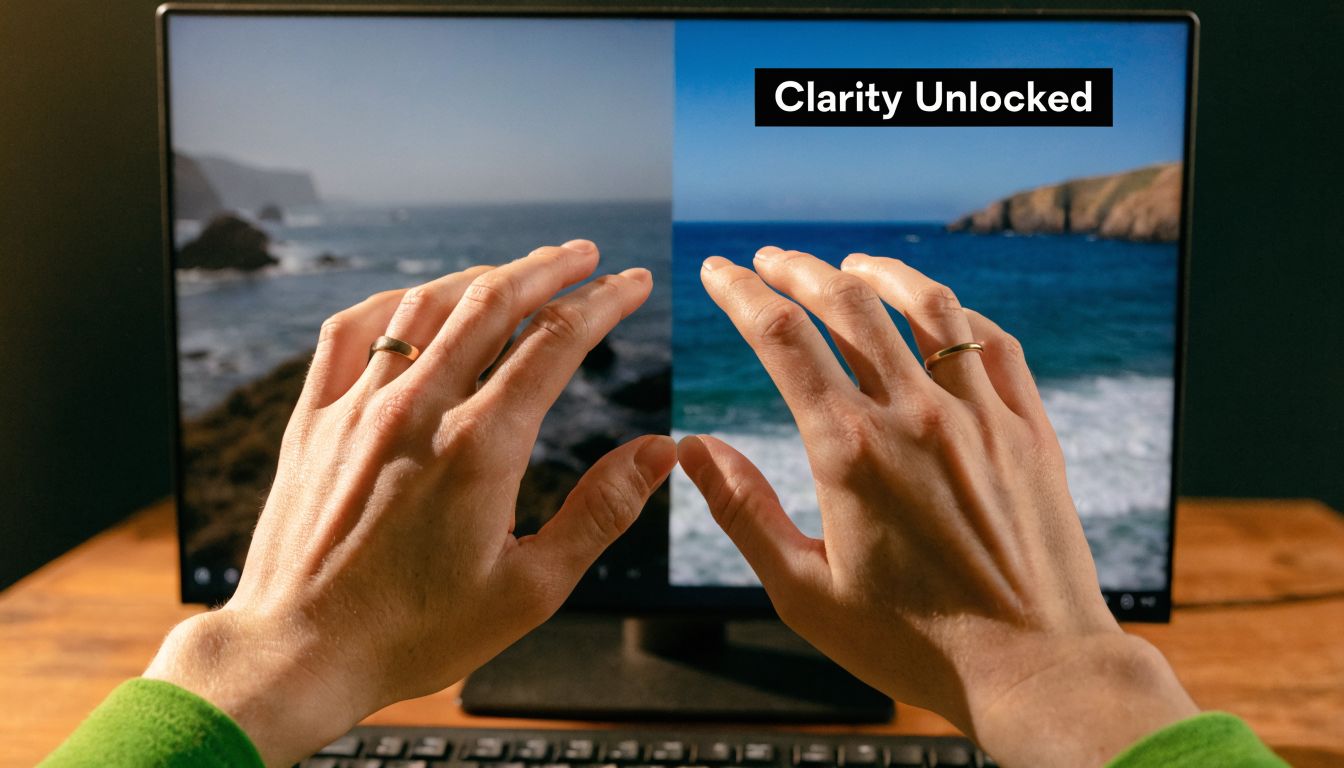
Ինչու են ստեղծողները հիմա հոգ տանում
Սա այլևս նիշային վերականգնման հնարավորություն չէ։ AI Video Upscaling Software Market-ը աճել է $550 million USD-ից 2024 թվականին մինչև $670 million USD 2025 թվականին և կհասնի $5 billion-ի մինչև 2035 թվականը՝ 22.3% CAGR-ով, ցածր 4K առաքման պահանջարկով և ավելի ուժեղ տեսողական որակով engagement-ի համար, համաձայն Wise Guy Reports-ի AI video upscaling software market-ի մասին։
Դա համապատասխանում է այն բանին, ինչ ստեղծողները հանդիպում են շաբաթական.
- Հին կադրերը դեռ ունեն արժեք: Անցյալի հարցազրույցները, вебинаրները, դեմոները և վկայությունները հաճախ պարունակում են վերահրապարակման արժանի գաղափարներ։
- UGC-ն հազվադեպ է լինում կատարյալ: Հիանալի հուկերը գալիս են անկատար կլիպերից։
- Յուրաքանչյուր հարթակ պատժում է փափուկության համար: Կտրելը, resizing-ը և recompressing-ը թույլ կադրերի flaws-ները ավելի ակնհայտ դարձնում է։
Պրակտիկ կանոն: Օգտագործեք AI upscaling-ը հզոր բովանդակություն վերականգնելու համար։ Մի հույս ունեցեք, որ այն կփրկի թույլ կինեմատոգրաֆիան, բաց թողնված focus-ը կամ ծանր motion blur-ը։
Կա նաև ավելի լայն workflow անկյուն։ Եթե արդեն մեկ ակտիվ եք վերածում բազմաթիվ, upscaling-ը դառնում է repackaging-ի մաս, ոչ միայն վերանորոգման։ Դրա համար այն բնականորեն համապատասխանում է AI content repurposing-ին։ Մեկ ցածր լուծաչափով օրիգինալը կարող է դառնալ shorts-եր, square edits-եր և թարմացված repost-եր, եթե մաքրեք օրիգինալը resize-ի և բաշխման նախքան։
Այնտեղ, որտեղ այն լավագույնն է
AI upscaling-ը փայլում է մի քանի կոնկրետ իրավիճակներում.
| Use case | Why it works |
|---|---|
| Archival clips | Այն կարող է վերականգնել հստակությունը առանց յուրաքանչյուր կադրի ձեռքով վերակառուցման |
| Screen recordings | Այն օգնում է տեքստի եզրերին և UI տարրերին ավելի լավ գոյատևել սեղմման ժամանակ |
| UGC for ads | Այն բարձրացնում է baseline որակը captions-ների, branding-ի և export-ների նախքան |
| Cropped social edits | Ավելի լուծաչափ headroom-ը օգնում է մեկ master-ից բազմաթիվ ձևաչափեր ստեղծելիս |
Եթե արագ refresh պետք ունեք higher-resolution delivery-ի մասին պրակտիկայում, այս բացատրությունը https://shortgenius.com/blog/what-is-4-k-resolution-ի մասին օգտակար է նախքան որոշել, թե արժե՞ 4K finish կլիպը։
Օրիգինալ կադրերը պատրաստելը անժոխով upscaling-ի համար
Առավել մեծ սխալը upscale video ai-ի հետ այն է, որ սնուցում եք ամենավատ ֆայլը և հույս ունեք, որ մոդելը կստեղծի հրաշք։
Այն չի անում։
Շուկան արագ է շարժվում։ Ավելի լայն Video Enhancing AI Tool market-ը կհասնի $1,166 million USD-ի մինչև 2032 թվականը՝ 37.1% CAGR-ով, deep learning համակարգերով, որոնք տալիս են瞬間 2x to 4x resolution boosts միաժամանակ bandwidth-ի կրճատմամբ, համաձայն Intel Market Research-ի video enhancing AI tool market-ի մասին։ Բայց ավելի լավ մոդելները չեն չեղարկում վատ input-ները։

Աուդիտ անել կլիպը processing-ից առաջ
Նախքան ցանկացած բան queue անելը, ես ստուգում եմ, թե արդյոք կլիպը լավ թեկնածու է, թե թակարդ։
Օգտագործեք այս կարճ audit-ը.
- Compression damage: Եթե տեսնում եք macroblocking, mosquito noise կամ smeared detail, մոդելը կարող է այդ վնասը վերաբերվել որպես իրական texture-ի։
- Motion blur: AI-ն կարող է սրել եզրերը, բայց չի կարող վերականգնել detail-ը, որը երբեք չի եղել կադրում։
- Focus: Ներկայիս փափուկը կարող է աշխատել։ Բաց թողնված focus-ը սովորաբար մնում է բաց։
- Frame stability: Ավելի դժվար է upscaling անել shaky կլիպերի, հատկապես եթե background-ը արդեն լուծվում է։
- File lineage: Export արեք մոտավոր օրիգինալից, որն ունեք։ Մի upscale արեք ֆայլ, որը արդեն մի քանի անգամ սեղմվել է։
Ընտրեք ճիշտ source-ը, ոչ միայն ամենամեծը
Ստեղծողները հաճախ հետապնդում են resolution-ը առաջինը։ Դա հակառակն է։
Ավելի մաքուր 720p master-ը կարող է գերազանցել battered 1080p repost-ը։ Կարևոր է, թե արդյոք source-ը պահպանում է իրական image information-ը։ Եթե տարբերակներ ունեք, ընտրեք ամենաքիչ recompression-ով և ամենա少ない edits-ով ֆայլը։
Եթե source-ը արդեն noisy, crunchy և unstable է native size-ում, upscaling-ը սովորաբար դարձնում է այդ խնդիրները ավելի երևալի։
Ինչը շտկել upscaling-ից առաջ
Մի քիչ prep խնայում է շատ rerenders-ներից։
-
Նախ trim արեք կլիպը
Մի process արեք dead air-ը, false starts-ները կամ alternate takes-ները, եթե չեք օգտագործի։ -
Ա分րեք footage types-ները
Talking head, gameplay, animation և screen capture տարբեր են վարվում։ Մի batch արեք դրանք մեկ preset-ի տակ։ -
Handle obvious cleanup early
Եթե ֆայլը պետք ունի basic denoise կամ deinterlacing, արեք դա upscale pass-ից առաջ։ -
Run a short sample
Վերցրեք demanding moment կլիպից։ Fast hand movement, hair detail, camera motion, fine text։ Եթե sample-ը ձախողվում է, full render-ը չի բարելավվի։
Վատ թեկնածուներ AI upscaling-ի համար
Որոշ կլիպեր compute-ի արժե չունեն։
- Heavily filtered social downloads
- Tiny reposted memes
- Footage with severe low-light breakup
- Clips where faces are already distorted by compression
Դա խիստ թվում է, բայց պաշտպանում է ձեր ժամանակը։ Ամենալավ workflow-ը սկսվում է selection-ից, ոչ software settings-ից։
Ճիշտ AI մոդելի և settings-ների ընտրություն
Մեծամասամբ failed upscales-ները գալիս են նույն սովորությունից։ Մարդիկ load անում են կլիպ, ընտրում ամենաբարձր output-ը, push անում sharpening-ը չափից դուրս և ենթադրում, որ ավելի շատ processing հավասար է ավելի շատ quality-ին։
Այն չէ։
Տարբեր մոդելները տարբեր trade-off-ներ են անում։ Որոշները պահպանում են realism-ը։ Որոշները հորինում են ավելի շատ texture։ Որոշները լավ են animation-ի վրա և պայքարում skin-ի հետ։ Որոշները stable են motion-ի վրա։ Այլները impressive still frames են տալիս և ugly temporal artifacts։
Օգտակար benchmark կա այս ամենի հետևում։ AI upscaling-ում deep-learning models like basicVSR++ can achieve over 13% higher VMAF scores than traditional Lanczos when upscaling 540p to 1080p, with PSNR gains of 2-4dB, բայց hardware limits on consumer GPUs can cause 50%+ failure rates for 4K clips longer than 2 minutes due to VRAM shortages, ինչպես նշված է At Scale Conference-ի on-device video playback upsampling-ի մասին։
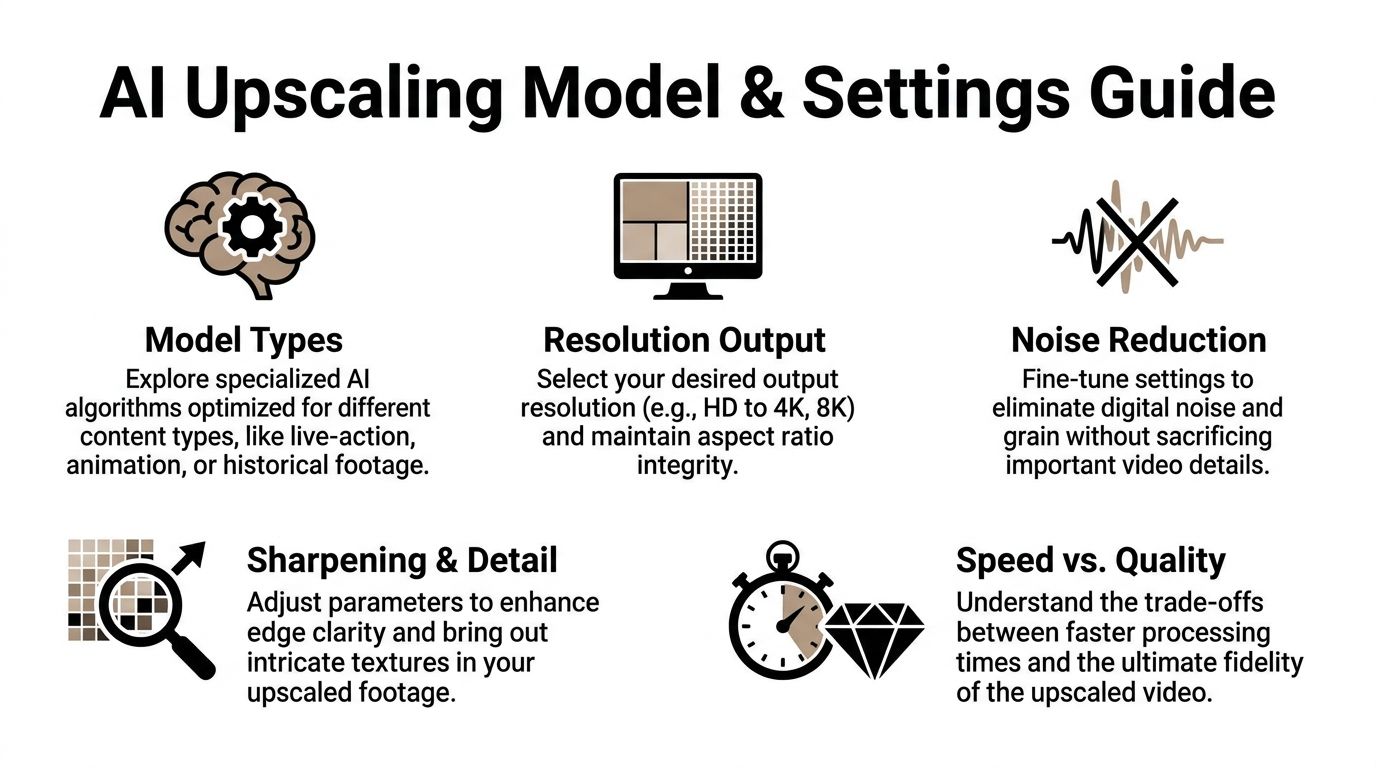
Մոդելի ընտրությունը սկսվում է footage type-ից
Պարզ մոտեցում մոդելներին.
| Footage type | What to prioritize | Common failure mode |
|---|---|---|
| Live action | Natural skin, stable motion, restrained sharpening | Waxy faces |
| Animation | Clean lines, edge consistency | Haloing around outlines |
| Gameplay | Motion handling, text/UI clarity | Ghosting in fast scenes |
| Archival footage | Conservative reconstruction | Fake texture that changes the original look |
Եթե գործիքը առաջարկում է մի քանի model families, մի օգտագործեք universal preset։ Դա oversharpened interviews-ներ և muddy animation-ի պատճառն է նույն project folder-ում։
Էդիտորների համար, ովքեր համեմատում են tools-ները և workflows-ները stack ընտրելուց առաջ, այս https://shortgenius.com/blog/lavagowyn-ai-video-khmbagrman-tsragrer roundup-ը օգնում է frame անել upscaling-ը larger edit pipeline-ի մեջ։
Ամենակարևոր settings-ները
Շատ UI labels technical թվում են, բայց predictable են վարվում։
Denoise
Օգտագործեք denoise, երբ source-ը visible noise ունի, որ մոդելը շարունակում է detail համար սխալվել։ Օգտագործեք ավելի քիչ, քան մտածում եք։
Չափից դուրս denoise-ը խլում է texture-ը skin-ից, fabric-ից և backgrounds-ից։ Այնուհետև sharpening-ը փորձում է fake crispness վերակառուցել flattened image-ի վրա։
Deblock
Deblock-ը օգնում է compression damage-ի դեպքում։ Այն կարող է smooth անել ugly block edges-ները upscale model-ի exaggerate-ից առաջ։
Օգտակար է downloaded clips-երի և հին export-ների համար։ Վտանգավոր է clean footage-ի վրա, քանի որ կարող է soften անել preserve ցանկալի եզրերը։
Sharpen
Sharpen-ը այնտեղ է, որտեղ render-ը հաճախ ruined է լինում։
Մի քիչ sharpening կարող է recover անել edge definition-ը։ Չափից դուրսը halo-ներ, brittle hair և synthetic “AI enhanced” տեսք է ստեղծում։ Եթե sample-ը impressive է pause-ում, բայց ugly motion-ում, sharpening-ը հաճախ մեղավորն է։
Ճիշտ sharpen setting-ը պետք է անհետանա final video-ում։ Եթե հանդիսատեսը զգում է processing-ը, այն սովորաբար չափից դուրս ագրեսիվ է։
Resolution strategy-ն գերազանցում է brute force-ին
Ուղղակի 4K-ի գնալը հաճախ սխալ է։ Social content-ի համար 1080p-ն կամ modest step up-ը կարող է ավելի մաքուր թվալ, քան ավելի մեծ ֆայլ invented detail-ով։
Պրակտիկ համեմատությունը.
| Approach | Upside | Downside |
|---|---|---|
| Direct jump to 4K | Maximum output size | More hallucinated detail, heavier renders |
| Step up to 1080p first | Better control, easier QA | Extra decision point |
| Moderate upscale only | Faster, safer for social delivery | Less dramatic before-and-after |
Միջին ճանապարհը հաճախ հաղթում է։ Դուք պահպանում եք control texture-ի և motion-ի վրա, և խուսափում եք ամբողջ գիշեր render անելուց ֆայլի, որը դեռ hard compress-վում է upload-ի ժամանակ։
Արագ visual walkthrough օգնում է dialing-ի ժամանակ.
Local versus cloud processing
Այս ընտրությունը ավելի քիչ ideology-ի մասին է, ավելի շատ constraints-ի։
Local processing-ը տալիս է control։ Այն նաև կապում է ձեր մեքենան և արագ բացահայտում GPU limits-ները։
Cloud processing-ը հեռացնում է hardware bottleneck-ը, բայց trade անում եք control timing-ի, cost structure-ի և երբեմն fine-grained settings-ների վրա platform-ից կախված։
Ընտրեք local, երբ.
- Պետք ունեք repeatable presets known machine-ի վրա
- Heavy testing եք անում
- Ցանկանում եք direct oversight every pass-ի
Ընտրեք cloud, երբ.
- GPU-ն ձախողվում է longer clips-երում
- Պետք ունեք team access
- Նախընտրում եք edit անել, մինչ renders elsewhere են անում
Build presets, then distrust them
Presets-ները խնայում են ժամանակ։ Blind trust-ը խաթարում է quality-ն։
Պահեք մի քանի starting presets content type-ով, ապա test արեք every new source short segment-ով full render launch-ից առաջ։ Մեկ preset clean talking-head footage-ի համար։ Մեկը rough UGC-ի համար։ Մեկը animation կամ screen recordings-ի համար։
Այդ discipline-ը ավելի կարևոր է, քան software-ի brand name-ը։
Mastering Your Batch Upscaling Workflow
Upscaling մեկ կլիպ experiment է։ Upscaling քսան կլիպ operations է։
Շատ ստեղծողներ հաճախ կորցնում են ժամանակ։ Նրանք վերաբերվում են every file-ին custom job-ի պես, babysit exports-ները և rerun failed renders-ները, քանի որ ոչինչ organized չէր սկզբում։ Batch workflow-ը շտկում է դա։
Համաձայն Audials guidance-ի beginner mistakes in AI video upscaling-ի մասին, փորձագետները խորհուրդ են տալիս սկսել high-quality, minimally compressed video-ով և test incremental resolution jumps like 720p to 1080p before 4K՝ unnatural results-ներից և 4x longer render times-ներից խուսափելու համար։ Նույն guidance-ը նշում է, որ aggressive models կարող են 20-30% artifact rates տալ motion-heavy scenes-ում, dropping to less than 5% proper workflow-ով։
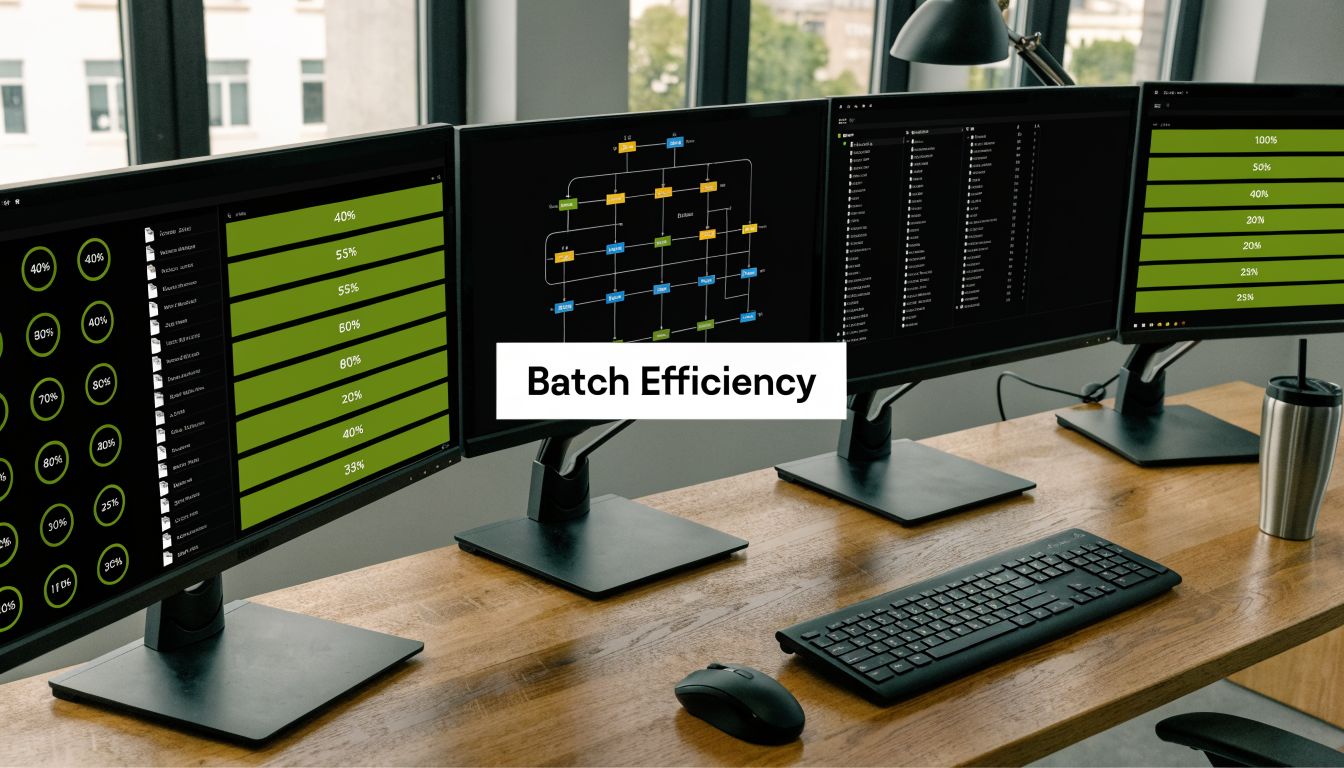
Local overnight workflow
Desktop tools-երի համար ամենաանվտանգ setup-ը boring է հատուկ։
-
Create three folders
Օգտագործեքsource,test-renders, ևfinal-upscaled։ Պահեք դրանք առանձին։ -
Rename clips before queueing
Ավելացրեք platform կամ project tags filenames-ներին, որպեսզի failures-ները արագ trace անեք։ -
Group by footage behavior
Մի mix արեք shaky UGC-ն polished studio footage-ի հետ մեկ batch preset-ում։ -
Run one stress test per group
Ընտրեք hardest clip each category-ում։ Fast motion, hair, text, crowd shots։ Եթե աշխատում է, easier clips-ները սովորաբար հետևում են։ -
Queue full jobs overnight
Թողեք machine-ը render անի, երբ չեք edit անում։
Cloud batch workflow
Cloud workflows-ները ավելի լավ են volume-ի, collaboration-ի կամ load չհանդուրժող մեքենայի դեպքում։
Process-ը տարբեր է.
- Upload only approved sources: Մի օգտագործեք cloud-ը sorting room-ի պես։
- Use clear naming conventions: Version confusion fast compounds shared projects-ում։
- Document the preset: Երբ good batch lands, save exact configuration-ը։
- Assign review ownership: Ոչ ոք պետք է spot-check outputs-ները, ոչ միայն confirm files-ների գոյությունը։
Ինչ ստուգել batch run-ից հետո
Completed render queue usable batch չէ։
Review these first.
| Check | Why it matters |
|---|---|
| Motion consistency | Flicker often hides until playback |
| Faces and hands | Aggressive models fail here first |
| Fine text and UI | Great for screen recordings, easy to break |
| Frame rate integrity | Mismatches create stutter on export |
| Aspect ratio | Incorrect handling causes awkward crops later |
Batch upscaling-ը ժամանակ է խնայում միայն, եթե verification pass-ը fast և ruthless է։
Mistakes that wreck scale
Ամենամեծ failures-ները սովորաբար process-ից են գալիս, ոչ model quality-ից։
- One preset for every clip: Fast, but unreliable.
- No sample render: Դա wake up-ի պատճառն է unusable files-ներով folder-ի։
- Skipping QC because thumbnails look good: Many artifacts only appear in playback.
- Upscaling after multiple edit exports: Every re-encode lowers your ceiling.
Teams-երի համար goal-ը ոչ միայն faster processing է։ Predictable processing է։ Stable batch system-ը upscale video ai-ն դարձնում է regular production-ի մաս, ոչ rescue mission every low-res asset-ի ժամանակ։
Post-Upscale Editing and Smart Export Presets
Upscaled ֆայլ finished ֆայլ չէ։
Այն ավելի մոտ է restored negative-ին։ Դեռ պետք է shape անեք, check անեք և export platform-ի համար, որտեղ այն կապրի։ Վերջին մասը կարևոր է, քանի որ ստեղծողները հաճախ հետապնդում են resolution-ը ignoring delivery conditions-ները։
ROI հարցը իրական է։ Ինչպես Cloudinary’s guide to using AI to upscale video-ն նշում է, շատ tools 4K են խոստանում, բայց platforms like TikTok և Instagram Reels հաճախ downscale content-ը։ Դա practical հարց է ստեղծողների համար։ Արժե՞ 4K upscale-ը, թե optimized HD export-ը just as well կperform mobile-first viewing-ի համար?
Cleanup pass-ը կարևոր է
AI models-ները հաճախ introduce subtle issues, որոնք չեն երևում side-by-side still frame-ում։
Common ones.
- Color drift: Skin tones-ները կարող են slightly shift enhancement-ից հետո։
- Edge chatter: Fine detail-ը կարող է pulse motion-ի մեջ։
- Texture inconsistency: Hair, fabric և backgrounds-ը կարող են alternate sharp և soft-ի միջև։
Ես post-upscale editing-ին վերաբերվում եմ որպես finishing work, ոչ optional polish։
Fix color before export
Even light grade կարող է unify image-ը։ Match skin tones, pull back highlights, եթե upscale-ը դրանք brittle է դարձրել, և make sure blacks crunchy չեն։
Review motion in playback
Մի inspect անեք միայն frame grabs-ները։ Watch clip full screen, ապա phone-ի վրա։ Motion problems reveal in playback, ոչ screenshots-ում։
Եթե upscale-ը great paused է և strange moving, export-ը ready չէ։
Smart exports-ները գերազանցում են max exports-ները
Ստեղծողները հաճախ default անում են “highest quality available”-ին։ Safe թվում է, բայց not always useful։
Short-form distribution-ի համար մտածեք platform fit-ի մասին.
| Destination | Better default mindset | What to avoid |
|---|---|---|
| TikTok | Clean, stable HD master | Huge files with marginal visible gain |
| Instagram Reels | Strong compression resistance | Over-sharpened exports that break after upload |
| YouTube Shorts | Crisp text and stable motion | Needlessly oversized renders if source was weak |
Point-ը 4K-ի վատ լինելը չէ։ 4K-ն automatically better չէ every social upload-ի համար։
Practical export policy
Օգտագործեք այս rule set-ը.
-
Export for the platform, not your pride
Viewers-ը clarity-ի և smoothness-ի մասին են հոգ տանում, ոչ render settings menu-ի։ -
Keep a high-quality archive master
Save clean master future reuse-ի, crops-ի կամ client delivery-ի համար։ -
Create platform-specific derivatives
Մեկ archive ֆայլ, ապա exports vertical, square կամ horizontal needs-ի համար։ -
Check the uploaded result
Social platforms rendering chain-ի մաս են։ Local export-ը final look չէ։
Շատ ստեղծողներ compromise quality export-ելիս։ Նրանք ժամանակ են ծախսում upscaling-ի վրա, ապա final result-ը hand over platform compression-ին strategy առանց։ Smart export presets-ները պաշտպանում են already արած աշխատանքը։
Automating Upscaling in a ShortGenius Pipeline
Manual upscaling works one clip-ի վերանորոգման ժամանակ։ Այն break down է անում, երբ producing social content every week multiple channels-ով։
Դա bottleneck է teams-երի համար։ Համաձայն Perfect Corp coverage-ի AI video enhancer workflow limitations-ի մասին, ամենամեծ challenge-ը upscaling-ը integrate անել multi-channel workflows-ի մեջ է, քանի որ standalone tools-ները lack batch processing at scale կամ API availability։ Unified publishing pipeline ավելի կարևոր է, քան isolated enhancement app։
Ինչ պետք է անի automation-ը
Useful automated pipeline-ը ոչ միայն “add upscale” է անում։
Պետք է handle chain.
- Ingest the source clip
- Route it by content type
- Apply the right enhancement preset
- Pass the result into editing
- Resize and package for each channel
- Schedule distribution
Այդ structure-ը upscaling-ը repair step-ից infrastructure է դարձնում։
Որտեղ այն fits production-ում
Short-form teams-երի համար best insertion point-ը early է։ Clean visual asset captions-ից, branding-ից, reframing-ից և exports-ից առաջ։
Կարևոր է, քանի որ every later step source-ի stable լինելը պահանջում է։ Եթե animated captions, cut-ins և brand overlays ավելացնեք weak footage-ի վրա նախ, ապա upscale later, model-ը interpret անում է design elements-ները և compression damage-ը միաժամանակ։
Ավելի reliable order.
| Stage | Better sequence |
|---|---|
| Source handling | Select and approve raw clip |
| Enhancement | Upscale and clean motion first |
| Edit layer | Add captions, trims, branding, voice |
| Distribution | Export per platform and publish |
One platform mention, used where it belongs
Unified workflow-ում ShortGenius-ը կարող է sit production chain-ում որպես option teams-երի համար, որոնք ուզում են video assembly, voiceovers, editing, resizing, scheduling և API-driven automation same environment-ում։ Այդ setup-ը կարևոր է rough footage-ից repeatable output ստեղծելիս առանց files bouncing separate apps-երով։ Եթե broader system եք building recurring channel production-ի շուրջ, այս guide-ը https://shortgenius.com/blog/youtube-automation-ai-ին relevant է, քանի որ automation-ը աշխատում է միայն, երբ each production step cleanly connects։
What works and what doesn’t
What works
- Treating upscaling as a preprocessing stage
- Saving presets by footage class
- Automating repetitive passes, not aesthetic judgment
- Keeping a human review step before publish
What doesn’t
- Sending every clip through the same enhancement profile
- Automating without QC ownership
- Building a pipeline that requires manual file wrangling between tools
- Assuming AI-generated and organic footage behave the same under upscale
Win-ը ոչ միայն better-looking footage է։ Win-ը one more manual bottleneck-ի հեռացումն է content production-ից։
Agencies-երի, brand teams-երի և high-volume ստեղծողների համար դա fundamental shift է։ Upscaling-ը դադարում է լինել special fix bad files-երի համար և դառնում standard background process։ Դուք recover ավելի շատ usable footage, ծախսում ավելի քիչ repetitive cleanup-ի վրա և պահպանում consistent output quality channels-ի միջև։
Եթե ցանկանում եք այս workflow-ը վերածել repeatable system-ի, ShortGenius (AI Video / AI Ad Generator) բերում է video creation, editing, resizing, voiceovers, scheduling և automated publishing մեկ platform-ի մեջ, որպեսզի upscaling-ը fit դառնա broader production pipeline-ի մեջ որպես one-off manual task-ի փոխարեն։