10 เครื่องมือสร้างวิดีโอฝึกอบรมที่ดีที่สุดในปี 2026

เปรียบเทียบ 10 เครื่องมือสร้างวิดีโอฝึกอบรมสำหรับวิดีโอ AI การบันทึกหน้าจอ การส่งออก LMS เสียงพากย์ การพิจารณาราคา และกรณีใช้งานจริง
ทีมของคุณมีบทเรียน กระบวนการผลิตภัณฑ์ หรือการสาธิตซอฟต์แวร์พร้อมสอนแล้ว แต่การแปลงให้เป็นวิดีโอฝึกอบรมที่เผยแพร่ได้ยังคงรู้สึกเหมือนโครงการผลิต ใครบางคนต้องปรับสคริปต์ บันทึกหรือสร้างเสียงบรรยาย สร้างฉาก เพิ่มคำบรรยาย สร้างรูปแบบที่เหมาะสม ได้รับการอนุมัติ และส่งมอบผลลัพธ์ให้ผู้เรียนใช้งานได้
เครื่องมือสร้างวิดีโอฝึกอบรม ที่ดีที่สุดขึ้นอยู่กับงานฝึกอบรม AI presenters เหมาะสำหรับโมดูลที่ทำซ้ำได้และนำเสนอโดยผู้บรรยาย Animation ทำงานได้ดีสำหรับสถานการณ์และแนวคิดนามธรรม เครื่องมือบันทึกหน้าจอเหมาะสำหรับคำสั่งซอฟต์แวร์ ในขณะที่ชุด authoring สำคัญเมื่อ quizzes, branching และการติดตาม LMS เป็นศูนย์กลาง ไลบรารีวิดีโอองค์กรแก้ปัญหาเรื่องการจัดเก็บที่ปลอดภัย การค้นหา สิทธิ์ และการส่งมอบในระดับใหญ่
การเปรียบเทียบนี้ดูที่ กระบวนการสร้างหลัก การสนับสนุนเสียงและเทมเพลต ความพร้อมส่งออกและ LMS การเหมาะสมกับผู้ชม การพิจารณาราคา จุดแข็ง ข้อจำกัด และความพยายามในการตั้งค่า มันยังแยกเครื่องมือที่สร้างเนื้อหาการเรียนรู้จากแพลตฟอร์มที่จัดการมัน หากคุณยังกำลังวางแผนกระบวนการผลิตที่กว้างขึ้น คู่มือนี้เกี่ยวกับ video ad production process explained ให้บริบทที่มีประโยชน์สำหรับการวางแผน การประกอบ การตรวจสอบ และการแจกจ่าย
1. ShortGenius
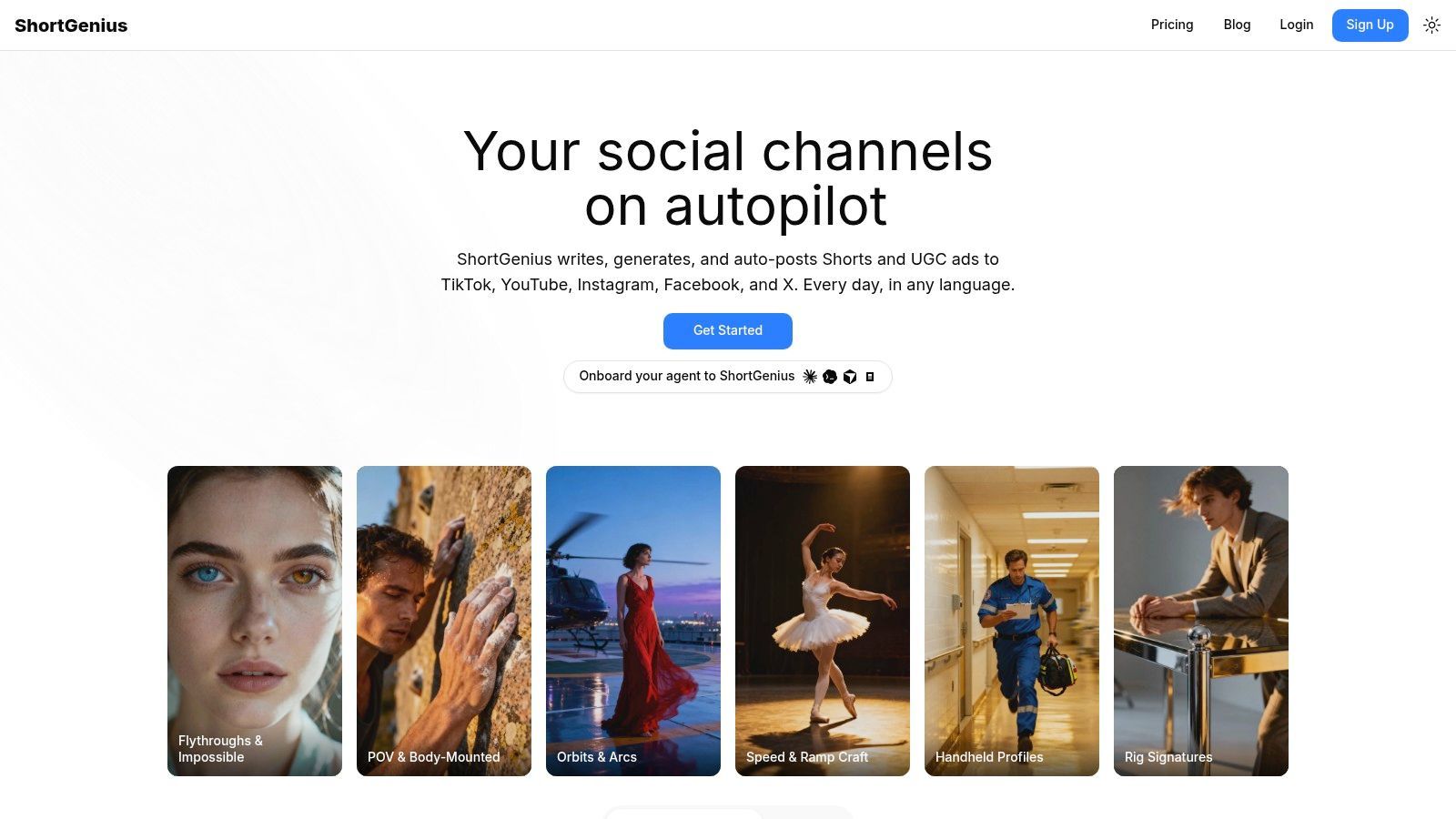
แผนบทเรียนสามารถกลายเป็นวิดีโอฝึกอบรมที่ขัดเกลาได้ในเซสชันงานเดียวกันเมื่อกระบวนการผลิตจัดการ scripting, scene assembly, narration, editing และ publishing ร่วมกัน ShortGenius สนับสนุนกระบวนการนั้นจาก prompt, script, source document, slide deck, SOP หรือ product note ลดความจำเป็นในการย้ายเนื้อหาระหว่างเครื่องมือเฉพาะทางแยกกัน
ข้อได้เปรียบเชิงปฏิบัติคือความเร็วในร่างแรก เริ่มจากวัสดุต้นทาง ตรวจสอบโครงสร้างที่สร้างขึ้น แล้วปรับ narration และลำดับภาพก่อน rendering ทีมสามารถแทนที่ฉาก ตัดคลิป เพิ่มคำบรรยาย ใช้ brand assets และสร้างเวอร์ชันที่เหมาะกับช่องต่าง ๆ การรวมโมเดลของมันยังให้ความยืดหยุ่นข้ามการวางแผน การสร้างภาพ และการผลิตเสียง แทนที่จะผูกทุกขั้นตอนกับ engine เดียว
กระบวนการนั้นเหมาะกับ โมดูลขนาดเล็ก บทเรียนรีเฟรช การอธิบายผลิตภัณฑ์ และซีรีส์การศึกษาสาธารณะ ทีมฝึกอบรมแสดงความชอบอย่างมากสำหรับ presentation-to-video production ตาม 2026 State of Video Report ผู้ใช้ฝึกอบรมมีแนวโน้ม สูงกว่าผู้ใช้อื่น 4 เท่าในการสร้างวิดีโอโดยตรงจาก presentations ShortGenius เข้ากับรูปแบบ repurposing นั้น ในขณะที่ LMS เฉพาะยังคงจำเป็นสำหรับ enrollment, completion records, assessments และการรายงาน compliance อย่างเป็นทางการ
กฎปฏิบัติ: สร้างและแจกจายวิดีโอใน ShortGenius ใช้ระบบการเรียนรู้เพื่อจัดการ enrollment, assessment, completion และบันทึกผู้เรียน
ShortGenius ทำงานได้ดีที่สุดเมื่อไหน
- การผลิตที่รวดเร็ว: ผลิตร่างแรกที่ใช้งานได้โดยไม่ต้องนัดถ่ายทำ จ้างนักพากย์ หรือเปิดแอปตัดต่อแยก
- ซีรีส์ที่สอดคล้อง: จัดบทเรียนที่เกี่ยวข้องเป็นคอลเลกชันธีม แล้วใช้แนวทางภาพและบรรณาธิการเดียวกันข้ามซีรีส์
- การส่งมอบหลายช่อง: จัดเวอร์ชันสำหรับ TikTok, YouTube Shorts, Instagram, Facebook และ X เมื่อเนื้อหาฝึกอบรมยังบริการการศึกษาสาธารณะหรือการเติบโตผู้ชม
- กระบวนการทีม: Shared assets, brand kits, advertising workflows, support, secure payments และ API ให้ทีมและเอเจนซี่ควบคุมมากกว่า editor ครั้งเดียว
ข้อจำกัดหลักคือการตรวจสอบ เนื้อหาที่สร้างยังต้องการการอนุมัติจากผู้เชี่ยวชาญเรื่องความถูกต้อง โทน ความเข้าถึงได้ และ compliance โดยเฉพาะเมื่อวิดีโออธิบายกระบวนการที่ควบคุมหรือพฤติกรรมผลิตภัณฑ์ที่หันหน้าเข้าหาลูกค้า ShortGenius ยังไม่แทนที่ interactive course authoring เมื่อผู้เรียนต้องการ branching scenarios, graded quizzes, simulations หรือการรายงาน LMS โดยละเอียด
ราคา quotas การ render ขีดจำกัดที่นั่ง และข้อจำกัดการ publishing ไม่ได้ให้ที่นี่ ดังนั้นยืนยันรายละเอียดเหล่านั้นบน ShortGenius website ก่อนเลือกแผน สำหรับทีมที่ผลิตวิดีโอคำสั่งสั้นข้ามหลายช่อง แพลตฟอร์มสามารถย่นการผลิต ระบบการเรียนรู้ยังกำหนดวิธีที่เนื้อหานั้นถูกมอบหมาย วัด และบำรุงรักษา
2. Synthesia
การอธิบายนโยบายที่บันทึกใน 12 ภาษาโดยไม่ต้องจองสตูดิโอก็จับเสน่ห์ของ Synthesia ได้ ทีมสามารถเขียนสคริปต์ เลือก AI presenter เพิ่มสื่อสนับสนุนและ subtitles แล้วผลิตโมดูลที่สอดคล้องโดยไม่ต้องประสานการถ่ายทำหรือนักพากย์ภายนอก นั่นเหมาะสำหรับ onboarding, internal communications, policy explainers และ global training ที่ต้องการ narration ท้องถิ่น
ไลบรารีของมันมี 150+ AI avatars และ 120+ ภาษาและสำเนียง ตาม Synthesia pricing information Custom avatars, training templates, brand controls, collaboration features และ enterprise SSO สนับสนุน L&D production ที่ทำซ้ำได้ ทีมสามารถมาตรฐานบทเรียนนำเสนอโดย presenter ข้ามการอัปเดตและภูมิภาค
การแลกเปลี่ยนคือการมีมนุษย์ Avatar ส่งข้อความที่สอดคล้อง แต่ขาดความอบอุ่น อำนาจ หรือความเหมาะสมทางวัฒนธรรมของครูจริง ความกังวลนั้นสำคัญในการฝึกอบรม discussion about AI video for training modules ยก limited human energy เป็นข้อคัดค้านที่แรงกว่าคุณภาพภาพ
กรณีใช้งานที่ดีที่สุดและข้อจำกัด
Synthesia เหมาะกับเนื้อหาที่ scripted, repeatable และมีแนวโน้มต้องอัปเดตหรือ localization มันไม่เหมาะสำหรับ software simulations โดยละเอียด ตัวเลือกผู้เรียนที่ซับซ้อน หรือ demonstrations ที่การมีตัวตนทางกายของ practitioner ส่งบทเรียน
- ความเร็วการผลิต: ไม่ต้องถ่ายทำ จองสตูดิโอ หรือนักพากย์ภายนอก
- ความเหมาะสมการเรียนรู้: คำอธิบายนำเสนอโดย presenter ทำงานดีสำหรับ orientation, policy content และ knowledge transfer สั้น
- การส่งมอบ LMS: วิดีโอสามารถสนับสนุนคอร์ส แต่ทีมยังต้องการระบบการเรียนรู้สำหรับ assignment, completion tracking, assessment และ reporting
- คำเตือนปฏิบัติการ: Rendering แบบ credit-based สามารถกระทบ iteration หนัก ดังนั้นตรวจสอบว่าร่างและ final renders ใช้ allowances ของแผนอย่างไร
- ตัวเลือกกระบวนการ: ทีมที่ผลิต short-form training สำหรับหลายช่องสามารถประเมิน ShortGenius AI video and ad generator โดยเฉพาะเมื่อ series publishing และ distribution อยู่เคียงข้าง presenter delivery
ใช้ Synthesia สำหรับ scripted communication ที่มีประสิทธิภาพ แล้วเพิ่ม authoring หรือ LMS tools เฉพาะเมื่อผู้เรียนต้องการ branching, graded quizzes, simulations หรือ progress data โดยละเอียด
3. Vyond
เมื่อสถานการณ์ compliance ต้องจัดฉากซ้ำโดยไม่ต้องถ่ายพนักงานจริง ไลบรารีตัวละครของ Vyond กลายเป็นทางแก้เชิงปฏิบัติ มันเหมาะกับ animated explainers, workplace scenarios และ policy training อนุญาตให้ instructional designers แสดงบทสนทนา การตัดสินใจ ปฏิสัมพันธ์ลูกค้า และกระบวนการนามธรรมโดยไม่ต้องจัดถ่ายทำสด Built-in text-to-speech, brand palettes, screen and webcam recording และ training-focused assets สนับสนุนความหลากหลายภาพโดยไม่ต้องมีแผนก animation เฉพาะ
Vyond Go สามารถแปลง text หรือ URL เป็นร่าง Editor แล้วให้ทีมปรับตัวละคร สถานที่ บทสนทนา และ pacing ชั้นสูงกว่าอาจรวม Shutterstock access และ collaboration features ที่ขยาย ดังนั้นการเลือกแผนสำคัญเมื่อแผนกต้องการไลบรารีสื่อใหญ่หรือผู้ร่วมงานหลายคน SCORM export สามารถบรรจุ learning แบบวิดีโอสำหรับ LMS delivery รายละเอียดแผนและส่งออกปัจจุบันอยู่ใน Vyond's plans page
เมื่อ animation ปรับปรุงบทเรียน
Animation ทำงานดีเมื่อถ่ายสถานการณ์จริงแพง อึดอัด หรือ sensitive ต่อความเป็นส่วนตัว บทสนทนาลูกค้ายาก ตัวอย่างความปลอดภัยสถานที่ทำงาน หรือการตัดสินใจ compliance สามารถปรับปรุงและจัดฉากใหม่โดยไม่ต้องประสานพนักงานหรือถ่ายใหม่ Designers ยังควบคุม emphasis, visual metaphors และ pacing ได้แม่นยำกว่าการบันทึกสด
สไตล์จะไม่เหมาะทุกผู้ชม ตัวการ์ตูนอาจรู้สึกไม่เป็นทางการเกินสำหรับ technical, medical หรือ executive training ที่ footage คนจริงหรือ software demonstration มีความน่าเชื่อถือมากกว่า Footage คนจริงเป็นรอง workflow animation ของ Vyond และ Shutterstock access หรือ collaboration features อาจต้องชั้นสูง ทีมที่ publishing short-form training หรือ promotional content ยังสามารถใช้ ShortGenius AI video and ad generator ร่วมกับ Vyond ขณะจัดโครงการคำสั่งตามวัตถุประสงค์
Animation ได้รับที่ของมันเมื่อสถานการณ์สำคัญกว่าความสมจริงภาพ
4. TechSmith Camtasia
สำหรับ tutorials ซอฟต์แวร์ที่ต้องการ cursor highlights, callouts และ step-by-step cuts timeline เดสก์ท็อปของ Camtasia ยังคงเป็น workflow ตรงไปตรงมา Trainers สามารถบันทึกหน้าจอและกล้อง ลบความผิดพลาด เพิ่ม annotations เน้นการเคลื่อนไหว cursor และประกอบบทเรียนที่โฟกัสโดยไม่ต้องใช้ professional editing suite ซับซ้อน มันเหมาะกับ process walkthroughs และ instructor-led demonstrations ที่ visual guidance สำคัญกว่าระบบ template-based production รวดเร็ว
Camtasia Suite ปัจจุบันรวม editor กับ Snagit และ Audiate เพิ่ม screen capture, text-based audio editing, filler-word removal, stock assets, quizzes และ SCORM export ตามแผน Camtasia product page ให้ข้อมูลการซื้อปัจจุบัน Screen and camera recording สนับสนุนงานความละเอียดสูง รวม ถึง 4K ขณะ multitrack editing ให้ producers ควบคุม narration, demonstrations, annotations และ music แยกกัน
Camtasia ทำงานดีเป็นพิเศษเมื่อผู้เรียนต้อง ติดตาม cursor และการกระทำของ instructor มันเหมาะกว่า avatar tool สำหรับ configuring software, completing workflow หรือ troubleshooting interface Quizzes และ SCORM export ยังคง simple assessment tasks ไว้ใน workflow ผลิตเดียวกัน แม้ระบบการเรียนรู้เฉพาะอาจดีกว่าสำหรับ learner tracking โดยละเอียด
ต้นทุนของการควบคุม
การแลกเปลี่ยนคือ production control กับความเร็ว Editor ใช้เวลานานกว่าเรียนรู้กว่า browser-based tool เบา และโครงสร้าง subscription รายปีอาจไม่เหมาะทุกทีม ไม่มีตัวเลือก monthly ใน plan notes ที่ให้ ขณะ advanced AI และ stock features อาจขึ้นกับ tier ที่เลือก
Camtasia ยังไม่เหมาะสำหรับ branching simulations ซับซ้อนหรือ video governance ระดับใหญ่ มันสร้างบทเรียนได้ดี แต่ระบบอื่นอาจยังต้องจัดการ catalog, permissions และ learner records
5. Articulate 360
เมื่อผู้เรียนต้องตอบคำถาม ตัดสินใจ branching และสร้าง completion data เครื่องมือ Storyline และ Rise ของ Articulate 360 ครอบคลุม authoring spectrum เต็ม Storyline สนับสนุน slide-based courses, simulations, branching scenarios และ interactions โดยละเอียด Rise สร้าง responsive web-based lessons และ microlearning ร่วมกัน พวกมันเหมาะกับ structured learning programs ใกล้ชิดกว่า conventional video editor
ชุดรวม AI-assisted authoring, templates, assets, review workflows และ publishing ไป SCORM, xAPI, cmi5 และ AICC ตาม Articulate's pricing and product information ช่วง format นั้นช่วยทีมเชื่อมคอร์สกับ LMS, learning record store หรือ compliance reporting process ที่มีอยู่
เลือกสำหรับ learning design ไม่ใช่แค่ความเร็ววิดีโอ
Articulate 360 เหมาะกับคอร์สที่ต้องการคำถาม การตัดสินใจ การดำเนินการที่ควบคุม หรือ completion records Review tools ยังให้ instructional designers นำ subject-matter experts และ stakeholders เข้ากระบวนการอนุมัติก่อน release Rise เร็วกว่าสำหรับ responsive lessons ขณะ Storyline ให้ interaction control ลึกกว่าและต้องการ development และ testing มากกว่า
การแลกเปลี่ยนคือ learning curve ชันกว่าและต้นทุนสูงกว่า basic video tools Narrated explainer อาจใช้เวลานานกว่าในการสร้างใน authoring environment เต็ม Rich interactions ยังต้องการ testing ข้าม devices และ LMS configurations เพราะ inconsistent behavior สามารถกระทบ learner experience
สำหรับทีมเล็กที่เลือกระหว่าง course authoring และ focused video workflow กำหนด learning evidence ที่ต้องการก่อน หาก assessment และ completion records เป็นตัวเลือก creator ง่ายกว่าสามารถ publishing บทเรียนเร็วกว่า หากจำเป็น Articulate 360 ให้ authoring และ reporting formats เพื่อสนับสนุน workflow นั้น
6. Adobe Captivate
เมื่อผู้เรียนต้องฝึกงานซอฟต์แวร์และรับ feedback ทันทีในคอร์ส simulation engine ของ Adobe Captivate ทำให้ interaction นั้นเป็นไปได้ มันสนับสนุน responsive eLearning, software simulations และ interactive video ขณะแปลง PowerPoint material เป็น responsive lessons และรวม narration, media และ structured activities
Captivate ยังเชื่อมกับ ecosystem กว้างของ Adobe Generative AI assets และ Firefly capabilities สามารถช่วย visual development ขณะ team and enterprise administration features สนับสนุน collaboration ข้ามองค์กรใหญ่ ตรวจสอบ Captivate buying guide อย่างละเอียด เพราะ capabilities และ generative credit arrangements แตกต่างตาม product tier
กรณีใช้งานชัดเจนที่สุดคือ practice-based training Simulation สามารถแสดงการกระทำที่ถูกต้อง ให้ผู้เรียนลอง และให้ feedback ในคอร์ส นั่นเหมาะกับ system training ดีกว่า standard video editor เมื่อ incorrect steps มีผลกระทบปฏิบัติการ
อะไรที่ทำให้ทีมช้าลง
Captivate เป็น authoring environment หนัก Producers ที่สร้าง narrated screen walkthrough เท่านั้นอาจพบ interface และ publishing choices เกินจำเป็น Simulation projects ยังต้องการ planning, testing และ maintenance เมื่อ software หลักเปลี่ยน
ราคายากเปรียบเทียบข้าม individual, team และ enterprise arrangements โดยเฉพาะเมื่อรวม generative features ใช้ Captivate เมื่อ responsive layouts และ learner interaction ให้เหตุผลกับ production effort เพิ่ม สำหรับ short training clips ที่เปลี่ยนบ่อย creator เบาอาจอัปเดตและส่งมอบง่ายกว่า
7. iSpring Suite
เมื่อ bottleneck ของทีมคือการแปลง slide decks ที่อนุมัติแล้วเป็น trackable courses โดยไม่ต้องใช้แพลตฟอร์มใหม่ iSpring Suite แปลง PowerPoint files เป็น structured learning content มันเพิ่ม quizzes, surveys, interactions, narration, screen capture และ LMS publishing ขณะคง authoring workflow ที่คุ้นเคยกับ subject-matter experts
Instructor สามารถเริ่มจาก deck ที่มีอยู่ บันทึก narration หรือ software walkthrough เพิ่ม knowledge checks และ publishing คอร์ส Product information ระบุ support สำหรับ SCORM, xAPI และ cmi5 export บวก iSpring Suite AI และ Cloud AI options เปรียบเทียบ packages และ plan differences ปัจจุบันบน iSpring pricing page
เหมาะสมสำหรับทีมที่ใช้ deck หนัก
iSpring เหมาะกับ onboarding, compliance และ internal training เมื่อ approved material มีอยู่เป็น slides มันจัดการ slide content, video, narration และ learner activities ใน authoring workflow เดียว แล้วบรรจุผลลัพธ์สำหรับ LMS นั่นทำให้เหมาะสมกว่า standalone video editor เมื่อ completion tracking สำคัญ
การแลกเปลี่ยนคือ production depth ทีมที่สร้าง video ขัดเกลาสูงอาจขาด timeline control ของ dedicated editor ขณะ complex branching และ simulations อาจต้อง configuration เพิ่ม Features ยังกระจายข้าม SKUs ต่างกัน ดังนั้น procurement ควร verify package ที่แน่นอนแทนสมมติว่า capability iSpring-branded ทุกตัวรวมอยู่
เลือก iSpring สำหรับ การแปลง presentations ที่อนุมัติเป็น structured courses ด้วย workflow change น้อย เลือก Camtasia หรือ Descript เมื่อบทเรียนขึ้นกับ refined screen demonstration หลักแทน LMS-ready course authoring
8. Descript
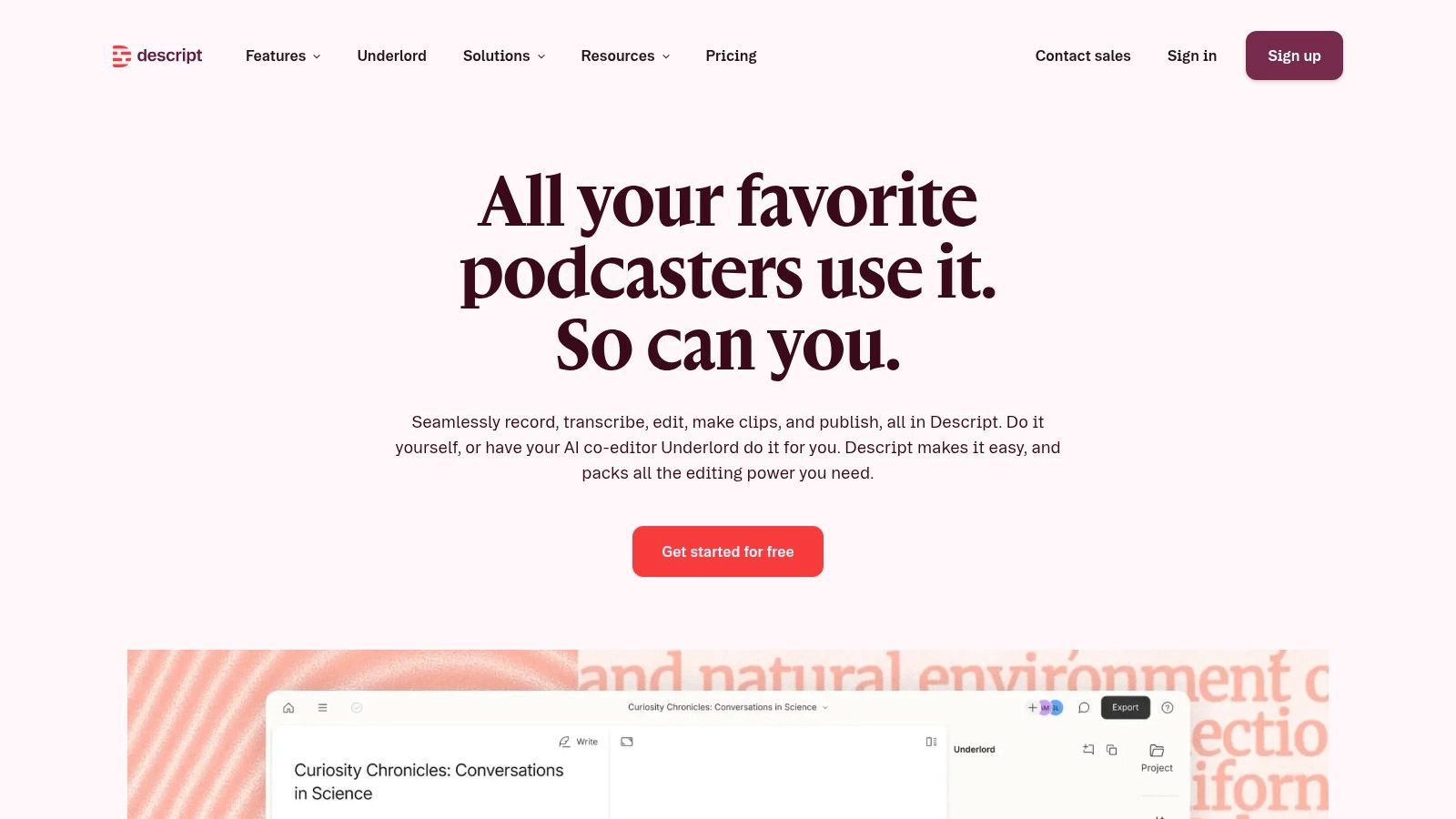
ลบประโยคจาก transcript ของ Descript และ video segment ที่ตรงกันหายไป Transcript-first workflow นั้นทำให้เชิงปฏิบัติสำหรับ tutorials, walkthroughs, interviews และ instructor voiceovers เมื่อ editing speed สำคัญกวา interactive course features
Screen recording, remote capture, multitrack editing, captions, subtitles, translation workflows และ 4K support ครอบคลุม production needs ของ small training teams หลายทีม AI co-editor สามารถช่วย summaries, chapters และ clip creation Product direction และ plan details ปัจจุบันมีบน Descript's podcasting page
Fast editing, limited LMS depth
Subject-matter expert สามารถบันทึก rough explanation แล้ว editor ลบ repetition, tighten lesson, เพิ่ม chapters และสร้าง captions โดยไม่ต้องเรียน traditional non-linear editor Collaboration สนับสนุน review เมื่อหลายคนต้องปรับ tutorial เดียวกัน
Descript ไม่แทนที่ interactive eLearning authoring suite มันขาด SCORM packaging ขณะ advanced color grading และ audio finishing อาจต้อง editor อื่น AI credit limits บน lower tiers ยัง constrain ทีมที่ process recordings หลายตัว
ใช้ Descript สำหรับ human-led master recording และ editorial cleanup สำหรับ short branded multi-platform learning clips integrated ShortGenius video workflow สามารถจัดการ derivative versions จัด source recording และ captions ให้ accurate แต่ละ clip Formal assessments, learner completion tracking และ LMS reporting ยังคงอยู่ใน dedicated learning system
9. Loom
เมื่อ product engineer ต้องบันทึก screen demo หกวินาทีและแชร์กับทีมก่อน bug report สูญเสีย relevance link การ capture ทันทีของ Loom คือเส้นทางเร็วที่สุดจาก idea สู่ distribution Trainer สามารถบันทึกหน้าจอ กล้อง หรือทั้งคู่ อธิบาย task และแชร์ผลลัพธ์ผ่าน link Workflow นี้นเหมาะกับ new-tool announcements, short SOP reminders, team handoffs และ answers to recurring questions
Loom เพิ่ม captions, transcript-based editing, AI-generated titles, summaries, chapters, tasks และ meeting recaps Team libraries ช่วยคนค้นหา shared recordings ขณะ SSO, SCIM และ Atlassian Guard integration สนับสนุน deployments ใหญ่ ตรวจ plan differences บน Loom's pricing page โดยเฉพาะเมื่อซื้อผ่าน Atlassian แทนตรงจาก Loom
ใช้ Loom สำหรับความเร็วและบริบท
Loom capture คำอธิบายของ presenter ใน interface จริง พนักงานสามารถชี้ปัญหาปัจจุบัน สาธิต task และแจก recording ก่อน context ล้าสมัย สำหรับ internal guidance เร็ว นั่นทำงานดีกว่าการนัดประชุมหรือเขียน process document ยาว
การแลกเปลี่ยนคือ limited course functionality Loom ไม่ให้ SCORM หรือ xAPI authoring ดังนั้น formal completion และ assessment records ยังต้อง LMS หรือ course builder Heavy editing, motion design และ polished branded production ต้อง tool อื่น Feature availability ยังแตกต่างระหว่าง Loom.com plans และ Atlassian-purchased arrangements
10. Panopto
เมื่อองค์กรต้องการ searchable permission-controlled video library ที่ครอบคลุม hundreds ของ onboarding recordings และ compliance sessions CMS architecture ของ Panopto แก้ discovery problem ที่ individual editors ไม่ทำได้ มันสนับสนุน recording, hosting, search, streaming, access controls, analytics และ knowledge sharing ข้าม centralized catalog
แพลตฟอร์มเชื่อมกับ major LMS environments, enterprise identity systems และ security controls พนักงานสามารถค้น explanation เฉพาะใน collection ใหญ่แทนรับ training link โดดเดี่ยว ตรวจ pricing information ของ Panopto ผ่าน sales conversation เพราะ organization-scale deployments ขึ้นกับ requirements และ configuration
ไลบรารี ไม่ใช่ creative studio
Panopto เหมาะกับ training operations ที่ governance-heavy Administrators สามารถจัด content, restrict access, support search และ manage delivery ข้าม departments มันเหมาะกับ internal processes, private sessions, regulated material, lectures, webinars และ live training ดีกว่า consumer video host
การแลกเปลี่ยนคือ production flexibility Panopto ไม่ได้ออกแบบสำหรับ rapid animation, AI scene generation หรือ detailed timeline editing Training teams อาจสร้าง content ใน Camtasia, Descript, authoring suite หรือ AI video creator แล้วใช้ Panopto สำหรับ storage, permissions, discovery และ distribution
องค์กรเล็กกับ catalog ถ่อมตนอาจพบ enterprise orientation นี้เกิน หาก centralized search, permissions, analytics และ LMS integrations ไม่จำเป็น simpler hosting หรือ course-authoring tool อาจเกี่ยว setup และ administration น้อยกว่า
Top 10 Training Video Creators, Comparison
| Platform | Core features | UX / Quality (★) | Pricing / Value (💰) | Target audience (👥) | Unique edge (✨) |
|---|---|---|---|---|---|
| 🏆 ShortGenius (AI Video / AI Ad Generator) | Script-to-video, image/scene gen, natural voiceovers, editor (trim/captions/resize), brand kit, presets, auto-scheduling, API | ★★★★☆ Integrated, fast pipeline | 💰Tiered, see site (creator & team plans) | 👥Creators, social teams, agencies, DTC brands, educators | ✨All-in-one multi-model workflow + auto-posting |
| Synthesia | 150+ AI avatars, 120+ languages, templates, brand controls, credit-based renders | ★★★★☆ Consistent presenter-led UX | 💰Credit-based; enterprise pricing | 👥L&D, corporate comms, localization teams | ✨Lifelike presenters & fast localization |
| Vyond | Character animation, TTS, templates, SCORM export, integrations | ★★★☆☆ Cartoon-style, easy learning | 💰Subscription tiers; media gated by plan | 👥Training teams, educators, explainer creators | ✨Deep animation library + LMS packaging |
| TechSmith Camtasia | 4K screen & camera capture, multitrack editor, quizzes, Audiate, SCORM | ★★★★☆ Robust desktop editing | 💰Annual subscription (no monthly) | 👥Software tutors, instructors, how-to creators | ✨Advanced screen-recording + timeline control |
| Articulate 360 | Storyline + Rise, AI-assisted authoring, SCORM/xAPI/cmi5, review tools | ★★★★☆ Enterprise authoring power | 💰Higher-priced enterprise/subscription | 👥Enterprise L&D, instructional designers | ✨Full-featured interactive course authoring |
| Adobe Captivate | Responsive courses, software simulations, generative AI, Firefly assets | ★★★☆☆ Powerful but steeper learning curve | 💰Complex SKUs; enterprise credits | 👥Enterprises needing simulations & responsive courses | ✨Simulation tooling + Adobe ecosystem |
| iSpring Suite | PowerPoint-based authoring, quizzes, screen capture, SCORM/xAPI export | ★★★★☆ Very fast for PPT teams | 💰Perpetual & subscription options | 👥SME trainers, subject-matter experts using PPT | ✨PowerPoint-native rapid conversion to LMS-ready |
| Descript | Edit-by-transcript, screen recording, AI co-editor, captions & translation | ★★★★☆ Fast transcript-first editing | 💰Tiered plans with AI credit limits | 👥Podcasters, tutorial creators, small teams | ✨Document-style editing + AI clip generation |
| Loom | Instant screen & camera capture, auto-summaries/chapters, team libraries | ★★★★☆ Quick capture & sharing | 💰Free & paid team plans | 👥Internal comms, product, ops, remote teams | ✨Asynchronous video messages + Atlassian ties |
| Panopto | Video CMS: capture, hosting, search, analytics, LMS integrations | ★★★☆☆ Enterprise-grade video management | 💰Org-scale pricing, contact sales | 👥Large enterprises, universities, training ops | ✨Searchable video library & governance at scale |
Match Production Speed With Learning Requirements
การเลือก training video creator ง่ายขึ้นเมื่อ learning job มาก่อน feature list เริ่มด้วยการตัดสินใจว่าผู้เรียนต้องดู ฝึก ตอบ ค้นหา หรือค้นซ้ำเนื้อหาหรือไม่ Polished video สามารถอธิบาย process แต่ไม่ให้ assessment records, branching practice หรือ enterprise governance อัตโนมัติ
สำหรับ fast AI-led production เลือก ShortGenius หรือ Synthesia ShortGenius เหมาะกว่าเมื่อบทเรียนเดียวต้องกลายเป็น series ของ short videos, branded derivatives หรือ channel-specific exports Synthesia แข็งแกร่งกว่าเมื่อ central experience คือ consistent AI presenter กับ multilingual delivery และ enterprise controls ในทั้งคู่ human review ยังจำเป็น ความกังวลของ training teams หลายทีมไม่ใช่แค่ว่า AI footage ดู polished หรือไม่ แต่บทเรียนยัง credible และ human หรือไม่ (discussion about human energy in AI training video)
เลือก Vyond สำหรับ animated scenarios และ explainers เลือก Camtasia, Descript หรือ Loom สำหรับ screen-based instruction Camtasia ให้ traditional editing control มากที่สุดและสนับสนุน quizzes และ SCORM ผ่าน suite Descript เร็วกว่าสำหรับ transcript-led editing และ instructor recordings Loom ชนะเมื่อ priority คือ capture และ share walkthrough ทันที
เมื่อ interaction และ LMS tracking เป็นศูนย์กลาง เลือก Articulate 360, Adobe Captivate หรือ iSpring Suite Articulate ให้ authoring range กว้างข้าม responsive courses และ complex interactions Captivate น่าดึงดูดสำหรับ software simulations และ responsive layouts iSpring เป็นตัวเลือกธรรมชาติสำหรับ PowerPoint-native teams ที่ต้องการ course packaging ที่น่าเชื่อถือโดยไม่ transition ยาว
เลือก Panopto เมื่อ secure enterprise video management เป็น priority มันคือบ้านสำหรับ governed searchable library ไม่ใช่ substitute สำหรับ editor หรือ authoring tool ทุกตัว ทีมที่เปรียบ delivery infrastructure ควรตรวจ guidance บน best learning management system for small businesses โดยเฉพาะเมื่อตัดสินใจว่า video host, LMS หรือ combined stack เหมาะกับองค์กร
A practical ShortGenius workflow
- Outline the lesson: กำหนดผู้เรียน, outcome, source material และ one clear action หรือ concept สำหรับแต่ละ module
- Generate and refine the script: ใช้ first draft เป็นจุดเริ่มต้น แล้ว verify terminology, sequence, examples และ instructional tone กับ subject-matter expert
- Create scenes and voiceovers: เลือก visuals และ narration ที่ match ผู้ชม อย่าให้ decorative scenes แข่งกับ procedure ที่สอน
- Apply captions and brand assets: ตรวจ captions ด้วยมือ เพิ่ม logos หรือ approved visual elements และ ensure text readable บน mobile screens
- Review accuracy and accessibility: ตรวจ names, numbers, UI steps, pronunciation, contrast, captions และ transcript quality ก่อน publishing
- Resize for the channel: Export format ที่ match intended destination แทน treat one aspect ratio เป็น universal
- Build a series and schedule publication: จัด related lessons เป็น series แล้ว schedule releases ข้าม relevant channels เมื่อ public distribution สนับสนุน training goal
ก่อน sign up verify current pricing, seat limits, rendering quotas, export formats, publishing allowances, security requirements และ LMS compatibility Product plans เปลี่ยน และ feature ที่ ideal ใน demo อาจ restricted โดย tier ที่ทีมต้องการ
ShortGenius รวม scriptwriting, scene and image generation, natural voiceovers, captions, resizing, brand kits, asset organization และ multi-channel scheduling ใน workflow เดียวสำหรับ training creators เยี่ยม ShortGenius (AI Video / AI Ad Generator) เพื่อแปลง lesson plans, SOPs และ slide-based ideas เป็น consistent training video content เร็วกว่า