2026 میں 10 بہترین ٹریننگ ویڈیو کریئٹر ٹولز

AI ویڈیو، سکرین ریکارڈنگ، LMS ایکسپورٹ، وائس اوورز، قیمت کے عوامل، اور عملی استعمال کے کیسز کے لیے 10 ٹریننگ ویڈیو کریئٹر ٹولز کا موازنہ کریں۔
آپ کی ٹیم کے پاس ایک سبق، پروڈکٹ پروسیس، یا سافٹ ویئر واک تھرو تیار ہے جو سکھانے کے لیے، لیکن اسے شائع ہونے والے ٹریننگ ویڈیو میں تبدیل کرنا ابھی بھی ایک پروڈکشن پروجیکٹ کی طرح لگتا ہے۔ کسی کو سکرپٹ کو شکل دینا پڑتا ہے، narration ریکارڈ یا جنریٹ کرنا پڑتا ہے، scenes بنانا پڑتے ہیں، captions شامل کرنا پڑتے ہیں، صحیح formats بنانا پڑتے ہیں، منظوری حاصل کرنا پڑتی ہے، اور نتیجہ وہاں پہنچانا پڑتا ہے جہاں سیکھنے والے اسے استعمال کر سکیں۔
بہترین ٹریننگ ویڈیو کریئٹر ٹریننگ کی نوکری پر منحصر ہے۔ AI presenters دہرائے جانے والے، presenter-led ماڈیولز کے لیے موزوں ہیں۔ Animation scenarios اور abstract آئیڈیاز کے لیے اچھی طرح کام کرتی ہے۔ Screen-recording tools سافٹ ویئر ہدایات کے لیے زیادہ مضبوط ہیں، جبکہ authoring suites اس وقت اہم ہوتی ہیں جب quizzes، branching، اور LMS tracking مرکزی ہوں۔ Enterprise video libraries ایک مختلف مسئلہ حل کرتی ہیں، محفوظ اسٹوریج، سرچ، permissions، اور scale پر ڈلیوری۔
یہ موازنہ بنیادی تخلیقی workflow، voice اور template سپورٹ، export اور LMS readiness، audience fit، pricing غور، طاقتوں، حدود، اور setup کا محنت کو دیکھتا ہے۔ یہ tools جو learning content بناتی ہیں انہیں platforms جو اسے manage کرتی ہیں ان سے الگ بھی کرتا ہے۔ اگر آپ ابھی بھی وسیع پروڈکشن workflow کو map کر رہے ہیں، تو یہ ویڈیو ایڈ پروڈکشن پروسیس کی وضاحت پلاننگ، اسمبلی، ریویو، اور تقسیم کے لیے مفید سیاق و سباق فراہم کرتی ہے۔
1. ShortGenius
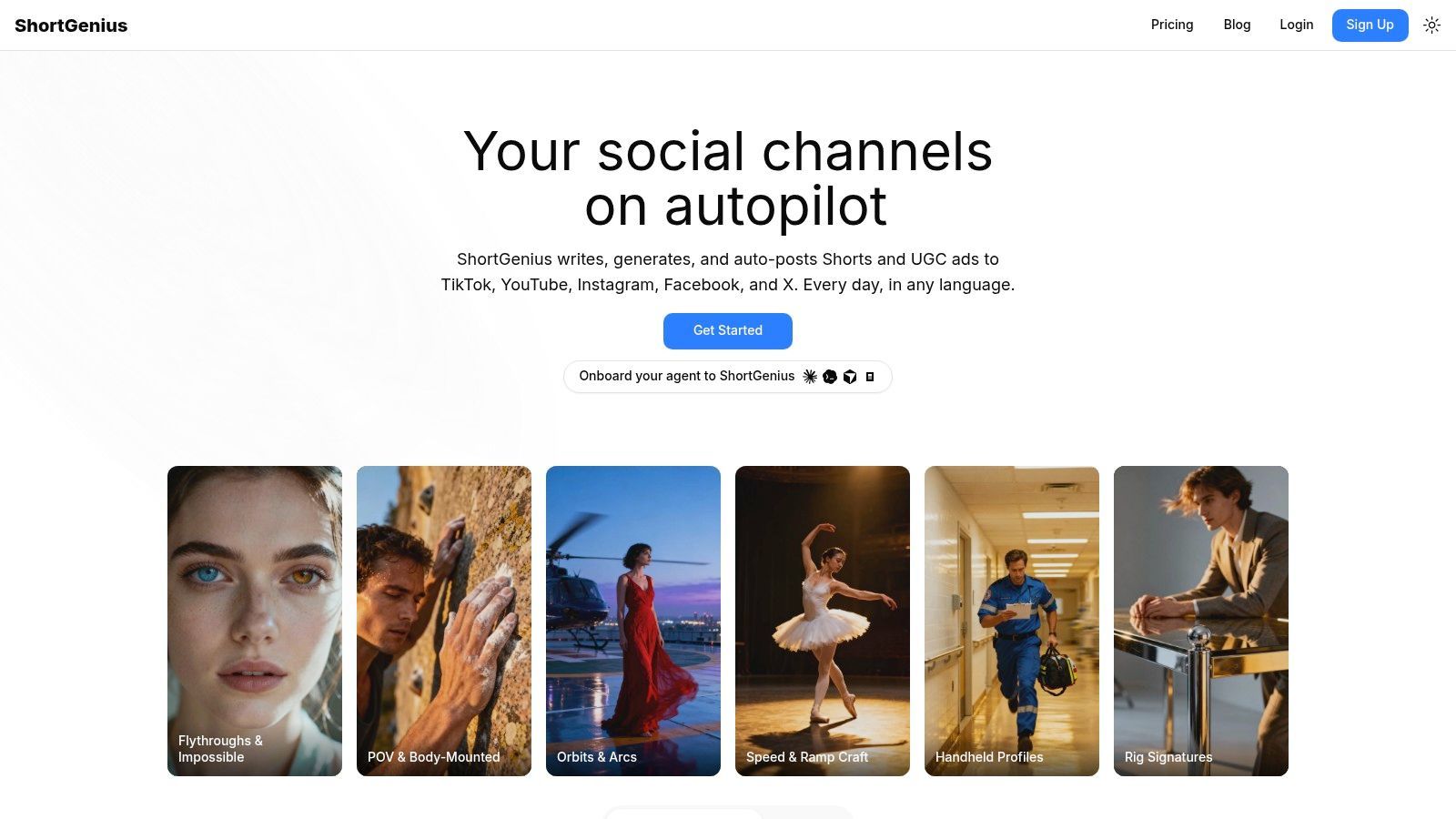
ایک lesson plan اسی کام کے سیشن میں ایک polished ٹریننگ ویڈیو بن سکتا ہے جب پروڈکشن workflow scripting، scene assembly، narration، editing، اور publishing کو ایک ساتھ ہینڈل کرے۔ ShortGenius prompt، script، source document، slide deck، SOP، یا product note سے وہ پروسیس سپورٹ کرتا ہے، الگ الگ specialist tools کے درمیان content منتقل کرنے کی ضرورت کم کر دیتا ہے۔
عملی فائدہ پہلے draft کے دوران speed ہے۔ Source material سے شروع کریں، generated structure کو ریویو کریں، پھر narration اور visual sequence کو ایڈجسٹ کریں rendering سے پہلے۔ ٹیمیں scenes تبدیل کر سکتی ہیں، clips ٹرم کر سکتی ہیں، captions شامل کر سکتی ہیں، brand assets apply کر سکتی ہیں، اور مختلف channels کے لیے suited versions بنا سکتی ہیں۔ اس کی model integrations planning، visual generation، اور voice production کے سراسر flexibility فراہم کرتی ہیں بجائے ہر مرحلے کو ایک engine سے باندھنے کے۔
وہ workflow bite-sized ماڈیولز، refresher lessons، product explainers، اور public education series کے لیے موزوں ہے۔ Training teams presentation-to-video production کو ترجیح دیتی ہیں۔ 2026 State of Video Report کے مطابق، training users دیگر users کے مقابلے میں presentations سے براہ راست ویڈیوز بنانے کے چار گنا زیادہ امکان رکھتے ہیں۔ ShortGenius اس repurposing pattern میں فٹ بیٹھتا ہے، جبکہ enrollment، completion records، assessments، اور formal compliance reporting کے لیے dedicated LMS ابھی بھی ضروری ہے۔
عملی اصول: ShortGenius میں ویڈیو بنائیں اور تقسیم کریں۔ Enrollment، assessment، completion، اور learner records manage کرنے کے لیے learning system استعمال کریں۔
ShortGenius کہاں بہترین کام کرتا ہے
- تیز پروڈکشن: Shoot schedule کیے بغیر، voice talent hire کیے بغیر، یا الگ editing application کھولے بغیر workable first draft بنائیں۔
- مستقل series: متعلقہ lessons کو themed collections میں organize کریں، پھر series کے سراسر ایک ہی visual اور editorial اپروچ reuse کریں۔
- Multi-channel ڈلیوری: جب training content public education یا audience growth کی خدمت بھی کرے تو TikTok، YouTube Shorts، Instagram، Facebook، اور X کے لیے versions schedule کریں۔
- ٹیم workflows: Shared assets، brand kits، advertising workflows، support، محفوظ payments، اور API ٹیموں اور agencies کو one-off editor سے زیادہ کنٹرول دیتے ہیں۔
مرکزی حد review ہے۔ Generated content کو accuracy، tone، accessibility، اور compliance کے لیے subject-matter approval کی ضرورت ہوتی ہے، خاص طور پر جب ویڈیو regulated processes یا customer-facing product behavior کی وضاحت کرے۔ ShortGenius interactive course authoring کو بھی replace نہیں کرتا جب learners کو branching scenarios، graded quizzes، simulations، یا تفصیلی LMS reporting کی ضرورت ہو۔
Pricing، rendering quotas، seat limits، اور publishing restrictions یہاں فراہم نہیں کیے گئے، تو plan منتخب کرنے سے پہلے ShortGenius website پر ان تفصیلات کی تصدیق کریں۔ کئی channels کے سراسر short instructional videos بنانے والی ٹیموں کے لیے، platform پروڈکشن کو مختصر کر سکتا ہے۔ Learning system ابھی بھی طے کرتا ہے کہ وہ content کیسے assign، measure، اور maintain کیا جائے۔
2. Synthesia
ایک policy explainer جو 12 زبانوں میں studio بک کیے بغیر ریکارڈ ہو، Synthesia کی اپیل کو capture کرتا ہے۔ ٹیمیں script لکھ سکتی ہیں، AI presenter منتخب کر سکتی ہیں، supporting media اور subtitles شامل کر سکتی ہیں، اور coordinating filming یا external voice talent کے بغیر consistent module produce کر سکتی ہیں۔ وہ onboarding، internal communications، policy explainers، اور localized narration کی ضرورت والے global training کے لیے موزوں ہے۔
اس کی library میں 150+ AI avatars اور 120+ languages اور accents شامل ہیں، Synthesia pricing information کے مطابق۔ Custom avatars، training templates، brand controls، collaboration features، اور enterprise SSO repeatable L&D production کو سپورٹ کرتے ہیں۔ ٹیمیں updates اور regions کے سراسر presenter-led lessons کو standardize کر سکتی ہیں۔
Trade-off human presence ہے۔ Avatar consistent message deliver کرتا ہے، لیکن real instructor کی warmth، authority، یا cultural fit کی کمی ہو سکتی ہے۔ وہ training میں اہم ہے۔ AI video for training modules پر بحث میں limited human energy کو visual quality سے زیادہ مضبوط اعتراض قرار دیا گیا۔
بہترین استعمال کیسز اور حدود
Synthesia scripted، repeatable، اور updates یا localization کی ضرورت والے content کے لیے فٹ بیٹھتی ہے۔ یہ detailed software simulations، complex learner choices، یا demonstrations کے لیے کم موزوں ہے جہاں practitioner کی physical presence lesson carry کرے۔
- پروڈکشن speed: Filming، studio booking، یا external voice talent کی ضرورت نہیں۔
- Learning fit: Orientation، policy content، اور concise knowledge transfer کے لیے presenter-led explanations اچھی طرح کام کرتی ہیں۔
- LMS ڈلیوری: ویڈیو course کو سپورٹ کر سکتی ہے، لیکن assignment، completion tracking، assessment، اور reporting کے لیے learning system کی ضرورت ہوتی ہے۔
- آپریشنل احتیاط: Credit-based rendering heavy iteration کو affect کر سکتا ہے، تو drafts اور final renders plan allowances کیسے consume کرتے ہیں چیک کریں۔
- Workflow choice: کئی channels کے لیے short-form training بنانے والی ٹیمیں ShortGenius AI video and ad generator کو بھی evaluate کر سکتی ہیں، خاص طور پر جب series publishing اور distribution presenter delivery کے ساتھ ہو۔
Efficient scripted communication کے لیے Synthesia استعمال کریں، پھر branching، graded quizzes، simulations، یا تفصیلی progress data کی ضرورت والے learners کے لیے dedicated authoring یا LMS tools شامل کریں۔
3. Vyond
جب compliance scenario کو real employees کو دوبارہ shoot کیے بغیر repeatedly stage کرنا ہو، Vyond کی character library عملی حل بن جاتی ہے۔ یہ animated explainers، workplace scenarios، اور policy training کے لیے موزوں ہے، instructional designers کو conversations، decisions، customer interactions، اور abstract processes دکھانے کی اجازت دیتی ہے بغیر live shoot arrange کیے۔ Built-in text-to-speech، brand palettes، screen اور webcam recording، اور training-focused assets visual variety کو سپورٹ کرتے ہیں بغیر dedicated animation department کی ضرورت کے۔
Vyond Go text یا URL کو draft میں تبدیل کر سکتا ہے۔ Editor پھر teams کو characters، settings، dialogue، اور pacing adjust کرنے دیتا ہے۔ Higher tiers Shutterstock access اور expanded collaboration features شامل کر سکتے ہیں، تو department کو بڑی media library یا multiple contributors کی ضرورت ہو تو plan selection اہم ہے۔ SCORM export video-based learning کو LMS ڈلیوری کے لیے package کر سکتا ہے۔ موجودہ plan اور export تفصیلات Vyond's plans page پر درج ہیں۔
جب animation lesson کو بہتر بنائے
Animation اس وقت اچھی طرح کام کرتی ہے جب realistic situation film کرنا مہنگا، awkward، یا privacy-sensitive ہو۔ Difficult customer conversation، workplace safety example، یا compliance decision کو revise اور stage کیا جا سکتا ہے بغیر employees coordinate یا footage دوبارہ shoot کیے۔ Designers emphasis، visual metaphors، اور pacing کو live recording سے زیادہ precisely control کرتے ہیں۔
Style ہر audience کے لیے فٹ نہیں بیٹھے گی۔ Cartoon characters technical، medical، یا executive training کے لیے بہت informal لگ سکتے ہیں، جہاں real-person footage یا software demonstration زیادہ credibility carry کرے۔ Real-person footage Vyond کی animation workflow کا secondary ہے، اور Shutterstock access یا collaboration features higher tiers کی ضرورت رکھتے ہیں۔ Short-form training یا promotional content بھی publish کرنے والی ٹیمیں Vyond کے ساتھ ShortGenius AI video and ad generator استعمال کر سکتی ہیں، جبکہ instructional projects کو purpose سے organized رکھیں۔
Animation اس وقت اپنی جگہ کماتی ہے جب scenario visual realism سے زیادہ اہم ہو۔
4. TechSmith Camtasia
سافٹ ویئر tutorials کے لیے جو cursor highlights، callouts، اور step-by-step cuts کا تقاضا کرتے ہیں، Camtasia کا desktop timeline سیدھا workflow رہتا ہے۔ Trainers screen اور camera feed ریکارڈ کر سکتے ہیں، mistakes ہٹا سکتے ہیں، annotations شامل کر سکتے ہیں، cursor movement emphasize کر سکتے ہیں، اور focused lesson assemble کر سکتے ہیں بغیر complex professional editing suite اپنائے۔ یہ process walkthroughs اور instructor-led demonstrations کے لیے موزوں ہے جہاں visual guidance rapid template-based production سے زیادہ اہم ہو۔
موجودہ Camtasia Suite editor کو Snagit اور Audiate کے ساتھ combine کرتا ہے، screen capture، text-based audio editing، filler-word removal، stock assets، quizzes، اور SCORM export plan کے مطابق شامل کرتا ہے۔ Camtasia product page موجودہ purchasing information فراہم کرتا ہے۔ Screen اور camera recording 4K تک high-resolution work کو سپورٹ کر سکتی ہے، جبکہ multitrack editing narration، demonstrations، annotations، اور music کو الگ control کرنے دیتی ہے۔
Camtasia خاص طور پر اچھی طرح کام کرتا ہے جب learners کو instructor کے cursor اور actions فالو کرنے ہوں۔ Software configure، workflow complete، یا interface troubleshoot کرنے کے لیے avatar tool سے زیادہ فٹ ہے۔ Quizzes اور SCORM export simple assessment tasks کو اسی پروڈکشن workflow میں رکھ سکتے ہیں، حالانکہ تفصیلی learner tracking کے لیے dedicated learning system بہتر ہو سکتا ہے۔
کنٹرول کی لاگت
Trade-off production control بمقابلہ speed ہے۔ Editor lightweight browser-based tool سے سیکھنے میں زیادہ وقت لیتا ہے، اور اس کا annual subscription structure ہر ٹیم کے لیے موزوں نہیں۔ Supplied plan notes میں monthly option نہیں، جبکہ advanced AI اور stock features selected tier پر منحصر ہیں۔
Camtasia elaborate branching simulations یا large-scale video governance کے لیے poor fit ہے۔ یہ lesson effectively بناتا ہے، لیکن catalog، permissions، اور learner records manage کرنے کے لیے دوسرا system ضرورت ہو سکتا ہے۔
5. Articulate 360
جب learners کو questions کا جواب دینا ہو، branching decisions لینا ہوں، اور completion data generate کرنا ہو، Articulate 360 کے Storyline اور Rise tools full authoring spectrum کو cover کرتے ہیں۔ Storyline slide-based courses، simulations، branching scenarios، اور تفصیلی interactions کو سپورٹ کرتا ہے۔ Rise responsive، web-based lessons اور microlearning بناتی ہے۔ مل کر، یہ structured learning programs کو conventional video editor سے زیادہ closely fit کرتے ہیں۔
Suite میں AI-assisted authoring، templates، assets، review workflows، اور SCORM، xAPI، cmi5، اور AICC پر publishing شامل ہے، Articulate's pricing and product information کے مطابق۔ وہ format range teams کو course کو existing LMS، learning record store، یا compliance reporting process سے جوڑنے میں مدد دیتی ہے۔
Learning design کے لیے منتخب کریں، صرف ویڈیو speed کے لیے نہیں
Articulate 360 courses کے لیے فٹ ہے جو questions، decisions، controlled progression، یا completion records کا تقاضا کرتے ہیں۔ اس کے review tools instructional designers کو subject-matter experts اور stakeholders کو release سے پہلے approval process میں لانے دیتے ہیں۔ Rise responsive lessons کے لیے quicker ہے، جبکہ Storyline deeper interaction control دیتی ہے اور زیادہ development اور testing کی ضرورت رکھتی ہے۔
Trade-off steeper learning curve اور basic video tools سے زیادہ لاگت ہے۔ Narrated explainer full authoring environment میں بننے میں زیادہ وقت لے سکتا ہے۔ Rich interactions کو devices اور LMS configurations کے سراسر test کرنے کی ضرورت ہوتی ہے، کیونکہ inconsistent behavior learner experience کو affect کر سکتا ہے۔
Course authoring اور focused video workflow کے درمیان منتخب کرنے والی چھوٹی ٹیم کے لیے، پہلے required learning evidence define کریں۔ اگر assessment اور completion records optional ہوں تو simpler creator lesson کو تیز publish کر سکتا ہے۔ اگر required ہوں تو Articulate 360 authoring اور reporting formats اس workflow کو سپورٹ کرتی ہے۔
6. Adobe Captivate
جب learner کو software task practice کرنا ہو اور course کے اندر immediate feedback ملنا ہو، Adobe Captivate کا simulation engine وہ interaction ممکن بناتا ہے۔ یہ responsive eLearning، software simulations، اور interactive video کو سپورٹ کرتا ہے، جبکہ PowerPoint material کو responsive lessons میں تبدیل کرتا ہے اور narration، media، اور structured activities کو combine کرتا ہے۔
Captivate Adobe کے وسیع ecosystem سے جڑتا ہے۔ Generative AI assets اور Firefly capabilities visual development میں مدد کر سکتی ہیں، جبکہ team اور enterprise administration features بڑی organizations کے سراسر collaboration کو سپورٹ کرتے ہیں۔ Captivate buying guide کو احتیاط سے ریویو کریں، کیونکہ capabilities اور generative credit arrangements product tier کے مطابق مختلف ہوتے ہیں۔
اس کا سب سے واضح استعمال practice-based training ہے۔ Simulation correct action دکھا سکتا ہے، learner کو attempt کرنے دے سکتا ہے، اور course کے اندر feedback دے سکتا ہے۔ وہ system training کے لیے standard video editor سے بہتر فٹ ہے جب incorrect steps operational consequences carry کریں۔
کیا teams کو سست کرتا ہے
Captivate heavier authoring environment ہے۔ صرف narrated screen walkthrough بنانے والے producers کو اس کا interface اور publishing choices excessive لگ سکتے ہیں۔ Simulation projects کو planning، testing، اور maintenance کی ضرورت ہوتی ہے جب underlying software تبدیل ہو۔
Pricing individual، team، اور enterprise arrangements کے سراسر compare کرنا مشکل ہے، خاص طور پر جب generative features شامل ہوں۔ Responsive layouts اور learner interaction production effort کو justify کریں تو Captivate استعمال کریں۔ اکثر تبدیل ہونے والے short training clips کے لیے lighter creator update اور deliver کرنے میں آسان ہو سکتا ہے۔
7. iSpring Suite
جب ٹیم کا bottleneck approved slide decks کو trackable courses میں تبدیل کرنا ہو بغیر نئی platform اپنائے، iSpring Suite PowerPoint files کو structured learning content میں بدل دیتا ہے۔ یہ quizzes، surveys، interactions، narration، screen capture، اور LMS publishing شامل کرتا ہے جبکہ authoring workflow subject-matter experts کے لیے familiar رکھتا ہے۔
Instructor existing deck سے شروع کر سکتا ہے، narration یا software walkthrough ریکارڈ کر سکتا ہے، knowledge checks شامل کر سکتا ہے، اور course publish کر سکتا ہے۔ Product information SCORM، xAPI، اور cmi5 export کی سپورٹ لسٹ کرتی ہے، plus iSpring Suite AI اور Cloud AI options۔ موجودہ packages اور plan differences iSpring pricing page پر compare کریں۔
Deck-heavy teams کے لیے sensible fit
iSpring onboarding، compliance، اور internal training کے لیے موزوں ہے جب approved material slides کی شکل میں موجود ہو۔ یہ slide content، video، narration، اور learner activities کو ایک authoring workflow میں ہینڈل کرتا ہے، پھر LMS کے لیے package کرتا ہے۔ Completion tracking اہم ہو تو standalone video editor سے زیادہ appropriate ہے۔
Trade-off production depth ہے۔ Highly polished video بنانے والی ٹیمیں dedicated editor کی timeline control miss کر سکتی ہیں، جبکہ complex branching اور simulations extra configuration require کر سکتے ہیں۔ Features مختلف SKUs کے سراسر split ہیں، تو procurement کو exact package verify کرنا چاہیے بجائے ہر iSpring-branded capability کو included فرض کرنے کے۔
Approved presentations کو structured courses میں تبدیل کرنے کے لیے محدود workflow change کے ساتھ iSpring منتخب کریں۔ Lesson جو refined screen demonstration پر mainly منحصر ہو بجائے LMS-ready course authoring کے، اس کے لیے Camtasia یا Descript منتخب کریں۔
8. Descript
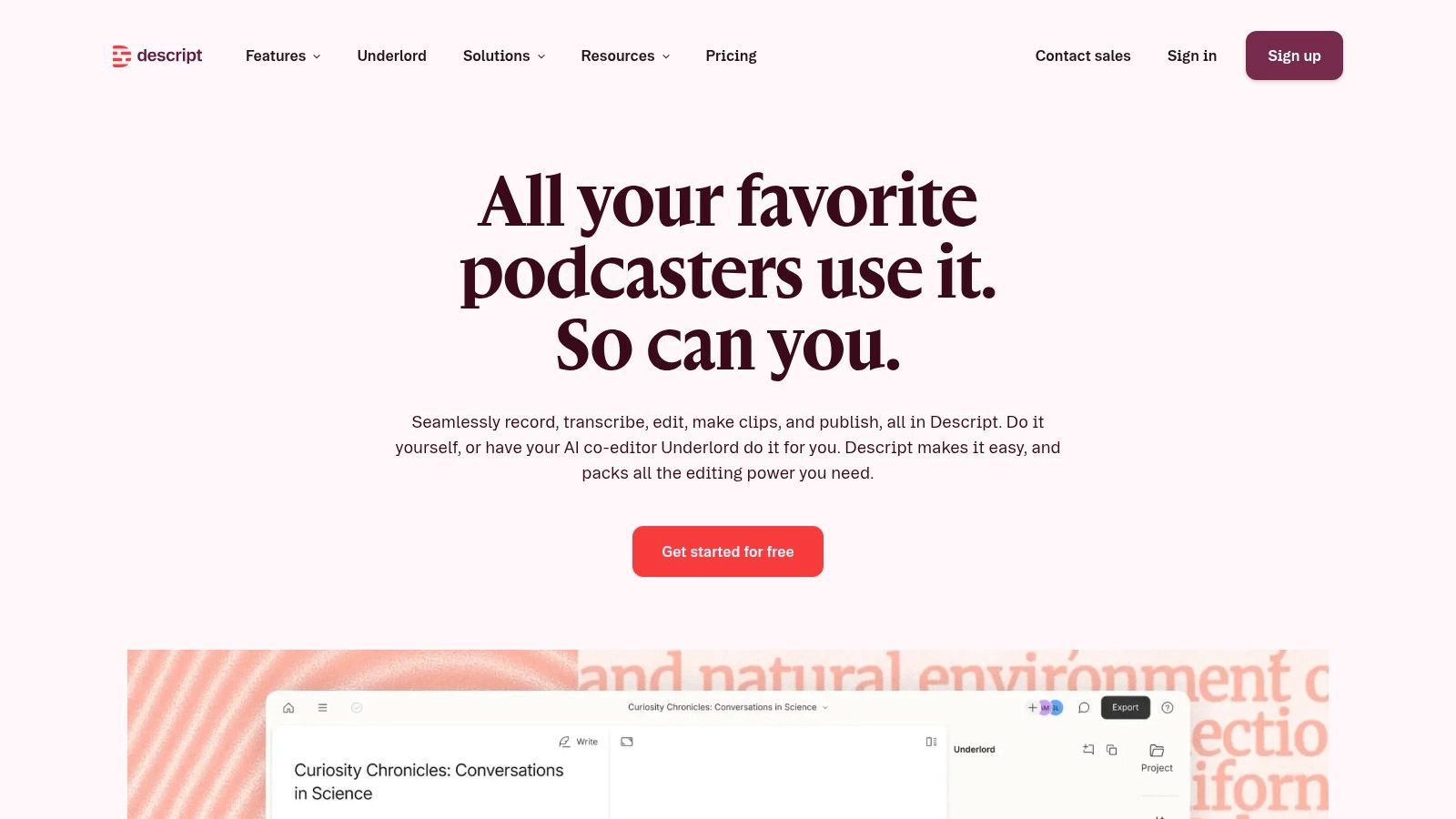
Descript کے transcript سے ایک sentence delete کریں، اور matching video segment غائب ہو جاتا ہے۔ وہ transcript-first workflow tutorials، walkthroughs، interviews، اور instructor voiceovers کے لیے عملی بناتا ہے جب editing speed interactive course features سے زیادہ اہم ہو۔
Screen recording، remote capture، multitrack editing، captions، subtitles، translation workflows، اور 4K support کئی چھوٹی training teams کی production needs cover کرتے ہیں۔ اس کا AI co-editor summaries، chapters، اور clip creation میں مدد کر سکتا ہے۔ موجودہ product direction اور plan details Descript's podcasting page پر دستیاب ہیں۔
تیز editing، محدود LMS depth
Subject-matter expert rough explanation ریکارڈ کر سکتا ہے، پھر editor repetition ہٹا سکتا ہے، lesson tighten کر سکتا ہے، chapters شامل کر سکتا ہے، اور traditional non-linear editor سیکھے بغیر captions بنا سکتا ہے۔ Collaboration review کو سپورٹ کرتا ہے جب کئی لوگوں کو same tutorial revise کرنا ہو۔
Descript interactive eLearning authoring suite کو replace نہیں کرتا۔ اس میں SCORM packaging کی کمی ہے، جبکہ advanced color grading اور audio finishing کے لیے دوسرا editor ضرورت ہو سکتا ہے۔ Lower tiers پر AI credit limits teams کو many recordings process کرنے سے روک سکتے ہیں۔
Human-led master recording اور اس کی editorial cleanup کے لیے Descript استعمال کریں۔ Short، branded، multi-platform learning clips کے لیے integrated ShortGenius video workflow derivative versions ہینڈل کر سکتا ہے۔ Source recording اور captions organized رکھیں تاکہ ہر clip accurate رہے۔ Formal assessments، learner completion tracking، اور LMS reporting ابھی بھی dedicated learning system میں رہیں۔
9. Loom
جب product engineer کو six-second screen demo ریکارڈ کرنا ہو اور bug report relevance کھونے سے پہلے ٹیم کے ساتھ share کرنا ہو، Loom کا instant capture link idea سے distribution تک تیز ترین راستہ ہے۔ Trainer screen، camera، یا دونوں ریکارڈ کر سکتا ہے، task explain کر سکتا ہے، اور link کے ذریعے result share کر سکتا ہے۔ یہ workflow new-tool announcements، short SOP reminders، team handoffs، اور recurring questions کے جوابات کے لیے موزوں ہے۔
Loom captions، transcript-based editing، AI-generated titles، summaries، chapters، tasks، اور meeting recaps شامل کرتا ہے۔ Team libraries shared recordings تلاش کرنے میں مدد کرتی ہیں، جبکہ SSO، SCIM، اور Atlassian Guard integration بڑے deployments کو سپورٹ کرتے ہیں۔ Plan differences Loom's pricing page پر چیک کریں، خاص طور پر Atlassian سے purchase کرنے پر۔
Speed اور context کے لیے Loom استعمال کریں
Loom presenter کی explanation کو actual interface کے اندر capture کرتا ہے۔ Employee current issue point out کر سکتا ہے، task demonstrate کر سکتا ہے، اور context outdated ہونے سے پہلے recording distribute کر سکتا ہے۔ Quick internal guidance کے لیے، یہ meeting schedule یا long process document لکھنے سے بہتر کام کر سکتا ہے۔
Trade-off محدود course functionality ہے۔ Loom SCORM یا xAPI authoring فراہم نہیں کرتا، تو formal completion اور assessment records کے لیے LMS یا course builder ضرورت ہے۔ Heavy editing، motion design، اور polished branded production کے لیے دوسرا tool چاہیے۔ Feature availability Loom.com plans اور Atlassian-purchased arrangements کے درمیان مختلف ہو سکتی ہے۔
10. Panopto
جب organization کو searchable، permission-controlled video library کی ضرورت ہو جو hundreds onboarding recordings اور compliance sessions کو span کرے، Panopto کا CMS architecture individual editors کے حل نہ کر سکنے والا discovery problem حل کرتا ہے۔ یہ recording، hosting، search، streaming، access controls، analytics، اور centralized catalog کے سراسر knowledge sharing کو سپورٹ کرتا ہے۔
Platform major LMS environments، enterprise identity systems، اور security controls سے جڑتا ہے۔ Employees بڑی collection کے اندر specific explanation locate کر سکتے ہیں بجائے ایک isolated training link حاصل کرنے کے۔ Panopto کی pricing information sales conversation کے ذریعے ریویو کریں، کیونکہ organization-scale deployments requirements اور configuration پر منحصر ہیں۔
Library، creative studio نہیں
Panopto governance-heavy training operations کے لیے فٹ ہے۔ Administrators content organize، access restrict، search support، اور departments کے سراسر delivery manage کر سکتے ہیں۔ یہ internal processes، private sessions، regulated material، lectures، webinars، اور live training کے لیے consumer video host سے بہتر ہے۔
Trade-off production flexibility ہے۔ Panopto rapid animation، AI scene generation، یا تفصیلی timeline editing کے لیے design نہیں ہے۔ Training teams Camtasia، Descript، authoring suite، یا AI video creator میں content بنا سکتی ہیں، پھر Panopto storage، permissions، discovery، اور distribution کے لیے استعمال کریں۔
Modest catalog والی چھوٹی organizations کو یہ enterprise orientation excessive لگ سکتا ہے۔ اگر centralized search، permissions، analytics، اور LMS integrations غیر ضروری ہوں تو simpler hosting یا course-authoring tool کم setup اور administration involve کرے گا۔
Top 10 Training Video Creators، موازنہ
| Platform | بنیادی خصوصیات | UX / Quality (★) | Pricing / Value (💰) | Target audience (👥) | Unique edge (✨) |
|---|---|---|---|---|---|
| 🏆 ShortGenius (AI Video / AI Ad Generator) | Script-to-video، image/scene gen، natural voiceovers، editor (trim/captions/resize)، brand kit، presets، auto-scheduling، API | ★★★★☆ Integrated، fast pipeline | 💰Tiered، see site (creator & team plans) | 👥Creators، social teams، agencies، DTC brands، educators | ✨All-in-one multi-model workflow + auto-posting |
| Synthesia | 150+ AI avatars، 120+ languages، templates، brand controls، credit-based renders | ★★★★☆ Consistent presenter-led UX | 💰Credit-based؛ enterprise pricing | 👥L&D، corporate comms، localization teams | ✨Lifelike presenters & fast localization |
| Vyond | Character animation، TTS، templates، SCORM export، integrations | ★★★☆☆ Cartoon-style، easy learning | 💰Subscription tiers؛ media gated by plan | 👥Training teams، educators، explainer creators | ✨Deep animation library + LMS packaging |
| TechSmith Camtasia | 4K screen & camera capture، multitrack editor، quizzes، Audiate، SCORM | ★★★★☆ Robust desktop editing | 💰Annual subscription (no monthly) | 👥Software tutors، instructors، how-to creators | ✨Advanced screen-recording + timeline control |
| Articulate 360 | Storyline + Rise، AI-assisted authoring، SCORM/xAPI/cmi5، review tools | ★★★★☆ Enterprise authoring power | 💰Higher-priced enterprise/subscription | 👥Enterprise L&D، instructional designers | ✨Full-featured interactive course authoring |
| Adobe Captivate | Responsive courses، software simulations، generative AI، Firefly assets | ★★★☆☆ Powerful but steeper learning curve | 💰Complex SKUs؛ enterprise credits | 👥Enterprises needing simulations & responsive courses | ✨Simulation tooling + Adobe ecosystem |
| iSpring Suite | PowerPoint-based authoring، quizzes، screen capture، SCORM/xAPI export | ★★★★☆ Very fast for PPT teams | 💰Perpetual & subscription options | 👥SME trainers، subject-matter experts using PPT | ✨PowerPoint-native rapid conversion to LMS-ready |
| Descript | Edit-by-transcript، screen recording، AI co-editor، captions & translation | ★★★★☆ Fast transcript-first editing | 💰Tiered plans with AI credit limits | 👥Podcasters، tutorial creators، small teams | ✨Document-style editing + AI clip generation |
| Loom | Instant screen & camera capture، auto-summaries/chapters، team libraries | ★★★★☆ Quick capture & sharing | 💰Free & paid team plans | 👥Internal comms، product، ops، remote teams | ✨Asynchronous video messages + Atlassian ties |
| Panopto | Video CMS: capture، hosting، search، analytics، LMS integrations | ★★★☆☆ Enterprise-grade video management | 💰Org-scale pricing، contact sales | 👥Large enterprises، universities، training ops | ✨Searchable video library & governance at scale |
Production Speed کو Learning Requirements سے ملائیں
Learning job feature list سے پہلے آئے تو training video creator منتخب کرنا آسان ہو جاتا ہے۔ پہلے decide کریں کہ learners کو content دیکھنا ہے، practice کرنا ہے، جواب دینا ہے، تلاش کرنا ہے، یا repeatedly search کرنا ہے۔ Polished video process explain کر سکتا ہے، لیکن automatically assessment records، branching practice، یا enterprise governance فراہم نہیں کرے گا۔
تیز AI-led production کے لیے ShortGenius یا Synthesia منتخب کریں۔ ShortGenius بہتر فٹ ہے جب same lesson کو short videos کی series، branded derivatives، یا channel-specific exports میں تبدیل کرنا ہو۔ Synthesia اس وقت stronger ہے جب central experience consistent AI presenter multilingual delivery اور enterprise controls کے ساتھ ہو۔ دونوں کیسز میں human review ضروری رہتا ہے۔ Training teams کی کئی concerns صرف AI footage polished لگتا ہے یا نہیں، بلکہ lesson credible اور human لگتا ہے یا نہیں (AI training video میں human energy پر بحث)۔
Vyond animated scenarios اور explainers کے لیے منتخب کریں۔ Screen-based instruction کے لیے Camtasia، Descript، یا Loom۔ Camtasia سب سے traditional editing control دیتا ہے اور suite کے ذریعے quizzes اور SCORM سپورٹ کرتا ہے۔ Descript transcript-led editing اور instructor recordings کے لیے تیز ہے۔ Loom فوری walkthrough capture اور share کرنے کی priority پر جیتتا ہے۔
جب interaction اور LMS tracking مرکزی ہوں تو Articulate 360، Adobe Captivate، یا iSpring Suite منتخب کریں۔ Articulate responsive courses اور complex interactions کے سراسر broadest authoring range دیتی ہے۔ Captivate software simulations اور responsive layouts کے لیے compelling ہے۔ PowerPoint-native teams کے لیے جو dependable course packaging چاہیں بغیر long transition کے، iSpring natural choice ہے۔
محفوظ enterprise video management priority ہو تو Panopto منتخب کریں۔ یہ governed، searchable library کا گھر ہے، ہر editor یا authoring tool کا substitute نہیں۔ Delivery infrastructure compare کرنے والی ٹیمیں small businesses کے لیے best learning management system کی رہنمائی بھی ریویو کریں، خاص طور پر جب video host، LMS، یا combined stack organization کے لیے فٹ ہو۔
ایک عملی ShortGenius workflow
- Lesson کا outline بنائیں: Learner، outcome، source material، اور ہر module کے لیے ایک واضح action یا concept define کریں۔
- Script generate اور refine کریں: First draft کو starting point کے طور پر استعمال کریں، پھر subject-matter expert سے terminology، sequence، examples، اور instructional tone verify کریں۔
- Scenes اور voiceovers بنائیں: Audience سے match کرنے والے visuals اور narration منتخب کریں۔ Decorative scenes کو taught procedure سے compete نہ ہونے دیں۔
- Captions اور brand assets apply کریں: Captions manually ریویو کریں، logos یا approved visual elements شامل کریں، اور mobile screens پر text readable رہے یقینی بنائیں۔
- Accuracy اور accessibility ریویو کریں: Names، numbers، UI steps، pronunciation، contrast، captions، اور transcript quality publish سے پہلے چیک کریں۔
- Channel کے لیے resize کریں: Intended destination سے match کرنے والا format export کریں بجائے ایک aspect ratio کو universal سمجھنے کے۔
- Series بنائیں اور publication schedule کریں: متعلقہ lessons کو series میں organize کریں، پھر public distribution training goal support کرے تو relevant channels کے سراسر releases schedule کریں۔
Sign up سے پہلے موجودہ pricing، seat limits، rendering quotas، export formats، publishing allowances، security requirements، اور LMS compatibility verify کریں۔ Product plans تبدیل ہوتے ہیں، اور demo میں ideal لگنے والی feature team کے required tier سے restricted ہو سکتی ہے۔
ShortGenius scriptwriting، scene اور image generation، natural voiceovers، captions، resizing، brand kits، asset organization، اور multi-channel scheduling کو training creators کے لیے ایک workflow میں combine کرتا ہے۔ Lesson plans، SOPs، اور slide-based ideas کو consistent training video content میں تیز تبدیل کرنے کے لیے ShortGenius (AI Video / AI Ad Generator) وزٹ کریں۔